How to Publish on WEBTOON: Complete Guide for Manga and Comics
Learn step by step how to publish on WEBTOON and how to use WEBTOON CANVAS to reach thousands of readers.
Start the Guide

What is WEBTOON?
WEBTOON is currently the largest digital comics platform on the planet, a global community of more than 145 million monthly active users. For a content creator, writer or illustrator looking for how to publish a webcomic successfully, it is one of the most accessible and dynamic windows to massive exposure in the digital age. Unlike the traditional publishing market, WEBTOON lets you self-publish your work while keeping 100% of your intellectual property.
1. The Vertical Reading Format (Infinite Scroll)
WEBTOON revolutionized graphic storytelling by replacing traditional printed pages with a continuous vertical canvas optimized for smartphones. For the author, this transforms the visual rhythm: tension, suspense and emotional impact are controlled through the white space between panels, making for an immersive, organic reading experience.
2. Demographics and Active Market Niches
Knowing your audience is vital for the commercial success of any work. WEBTOON readers tend to be young, very active on social media and extremely loyal to their favorite creators. The main profile is 58% female and 75% of users aged between 14 and 24 (Gen Z and Millennials).
3. Genre Preferences
The core of the platform is dominated by Romance, Fantasy, Drama and Slice of Life. Even so, the algorithms and tag systems let niches devoted to Thriller, Action, Horror and Science Fiction find passionate communities willing to fund their projects.
4. The Publishing Ecosystem: From CANVAS to ORIGINALS
The platform splits its content into two major leagues:
- WEBTOON CANVAS: The open, democratic section. Any author can quickly figure out how to publish on webtoon at their own pace, interact directly with readers' comments and build a fan base from scratch with no prior editorial filters.
- WEBTOON ORIGINALS: The platform's premium catalog. If a work stands out on CANVAS for its consistency and view count, the editorial team offers an exclusive contract. This means a guaranteed monthly salary, editing assistants, translation into multiple languages and official marketing campaigns.
Ways for Creators to Make Money
1. Ad Revenue Sharing Program
Once they meet certain minimum requirements on CANVAS (such as reaching 1,000 subscribers and 40,000 monthly views), creators can enable ads inside their episodes. WEBTOON shares a direct percentage of this revenue with the author, providing a monthly cash flow based on views.
2. Digital Coin System (Fast Pass)
It is one of the most lucrative microtransaction models in the mobile entertainment industry. Readers buy virtual coins to unlock early chapters before they are published for free. This model, enabled by default on Originals, is gradually opening up to standout CANVAS creators through pilot programs.
3. External Crowdfunding Integration
WEBTOON is very flexible with independent creators. It lets you natively link direct support buttons such as Patreon, Ko-fi or Kickstarter at the end of each chapter, making it easy for returning readers to fund merchandise, exclusive content or advance pages.
The real long-term appeal for an author on WEBTOON is its ability to act as a multimedia springboard. Major international hits such as Lore Olympus, True Beauty, Solo Leveling or Heartstopper (in its early stage) were born in this digital format and later signed multimillion-dollar deals for print editions, animated series and TV productions on platforms like Netflix or HBO.
How do you publish on WEBTOON?
If you are looking for how to publish on webtoon, the process is simpler than it seems. In this section we will show you in detail how to publish your comic on webtoon. In four simple steps you will have your series and your first chapter on the platform.
Remember that besides the chapter pages, you need two cover images ready, one at 1080x1080 and another at 1080x1920 in JPG, JPEG or PNG format. Make sure each image is under 500kb so the webtoon publishing system doesn't flag file size errors.
Step 1
Create a WEBTOON account.
Step 2
Go to your Dashboard.
Step 3
Create a series.
Step 4
Upload episodes and publish.
Step 1: Create a WEBTOON account.
To get started and understand how to publish your own webtoon, go to the top right corner of the screen and click the Log In button.

Choose your sign-up method: a pop-up window will open with different options to identify yourself and get started in the webtoon comic publishing environment.
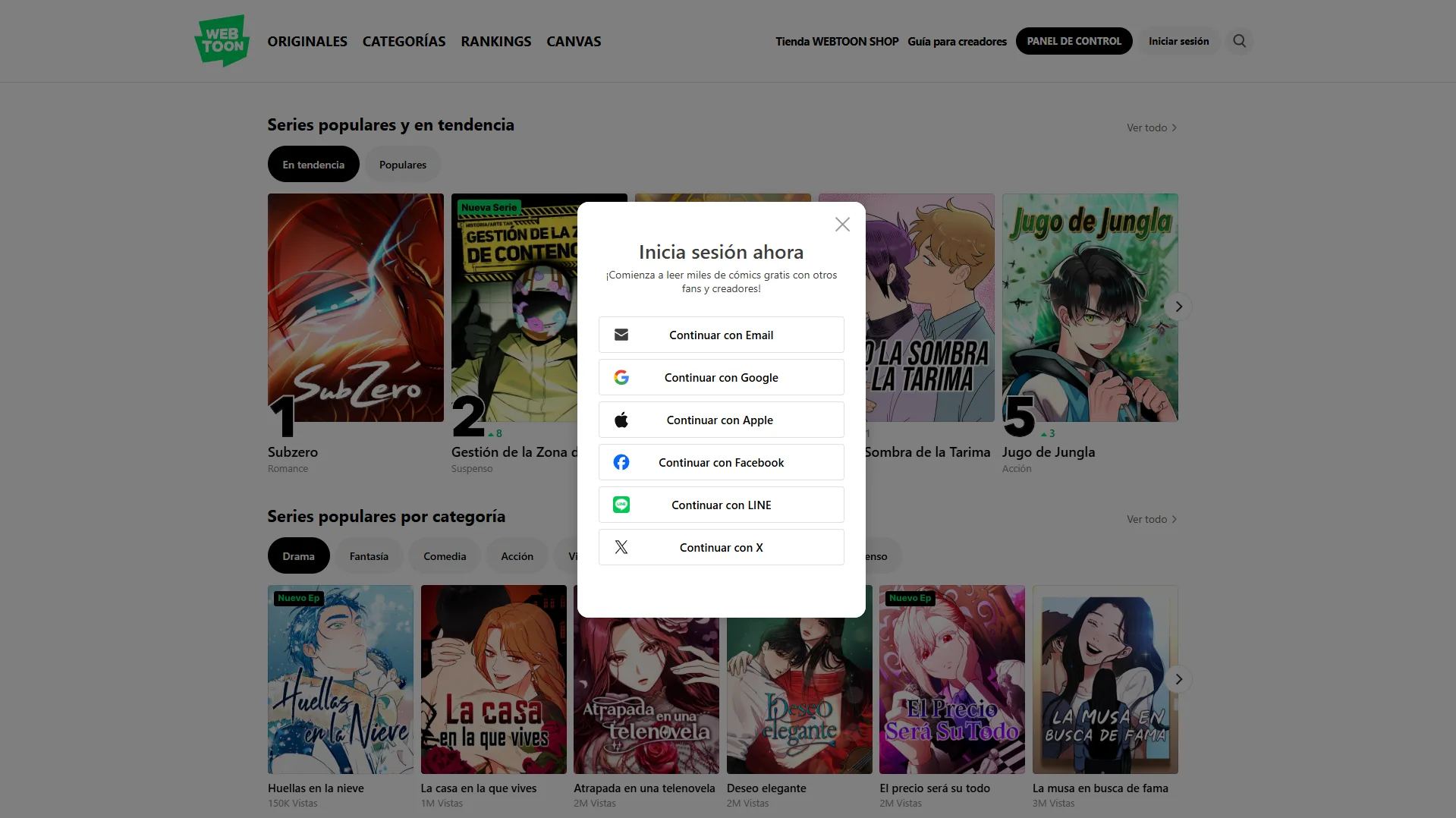
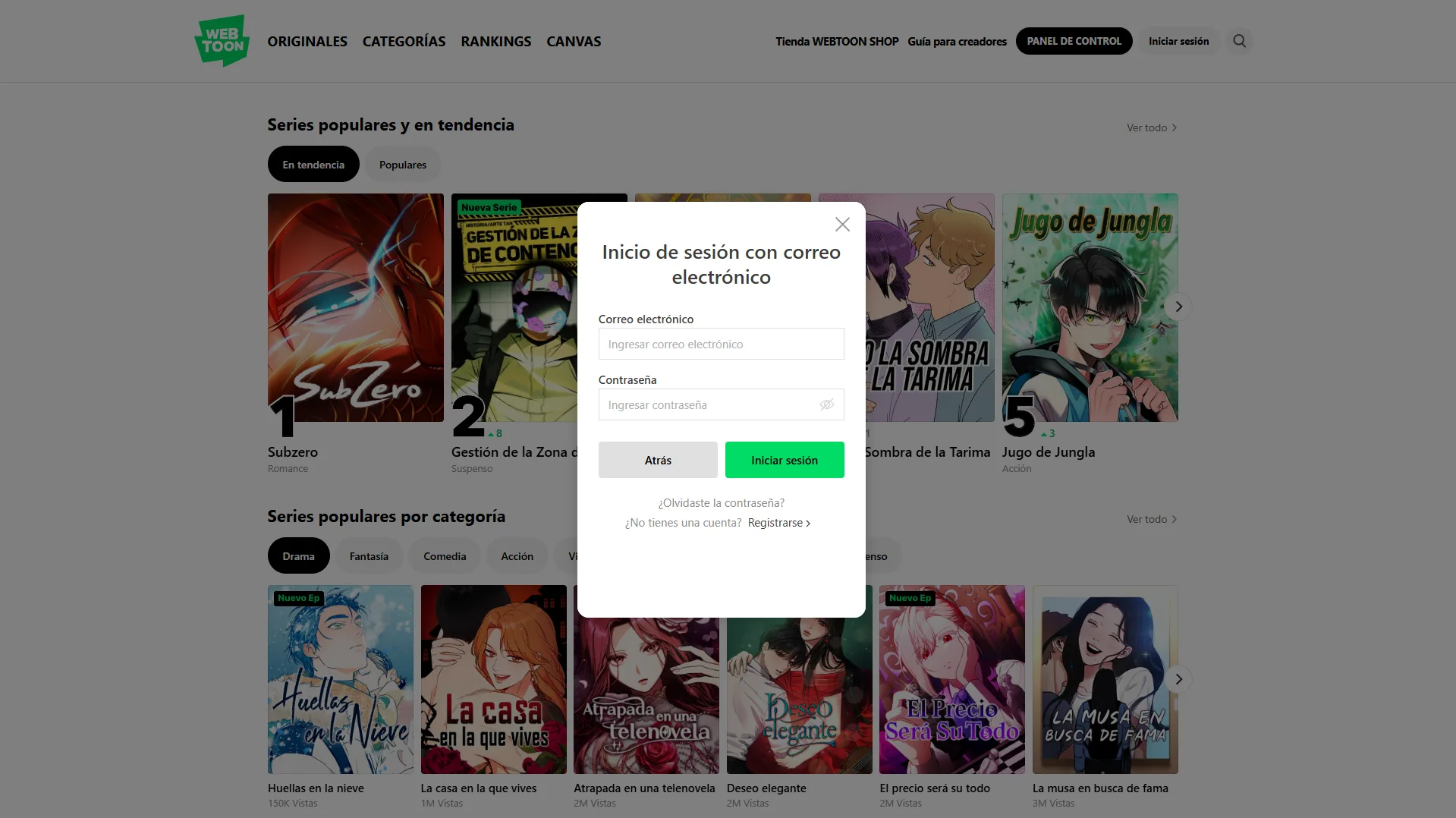
If you prefer not to link your social networks, select Continue with Email. In the login window that appears, click the Sign Up > link at the bottom.
This will take you to a more detailed form. Fill in your details and, when you finish, click the Sign Up NOW button.
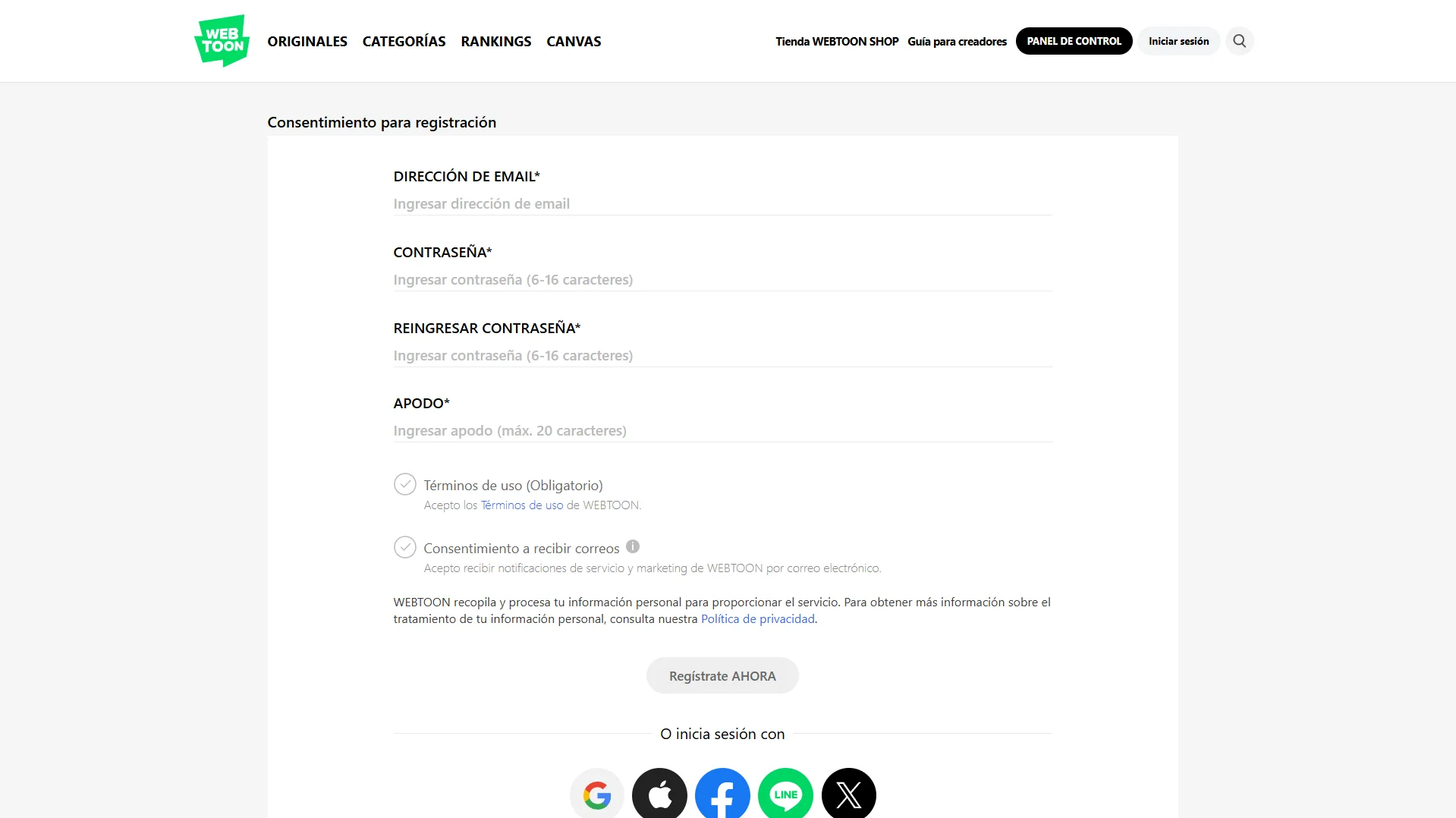
During sign-up, the system will ask for your date of birth. Keep in mind that you must be 13 or older to learn how to publish stories on webtoon legally and safely.

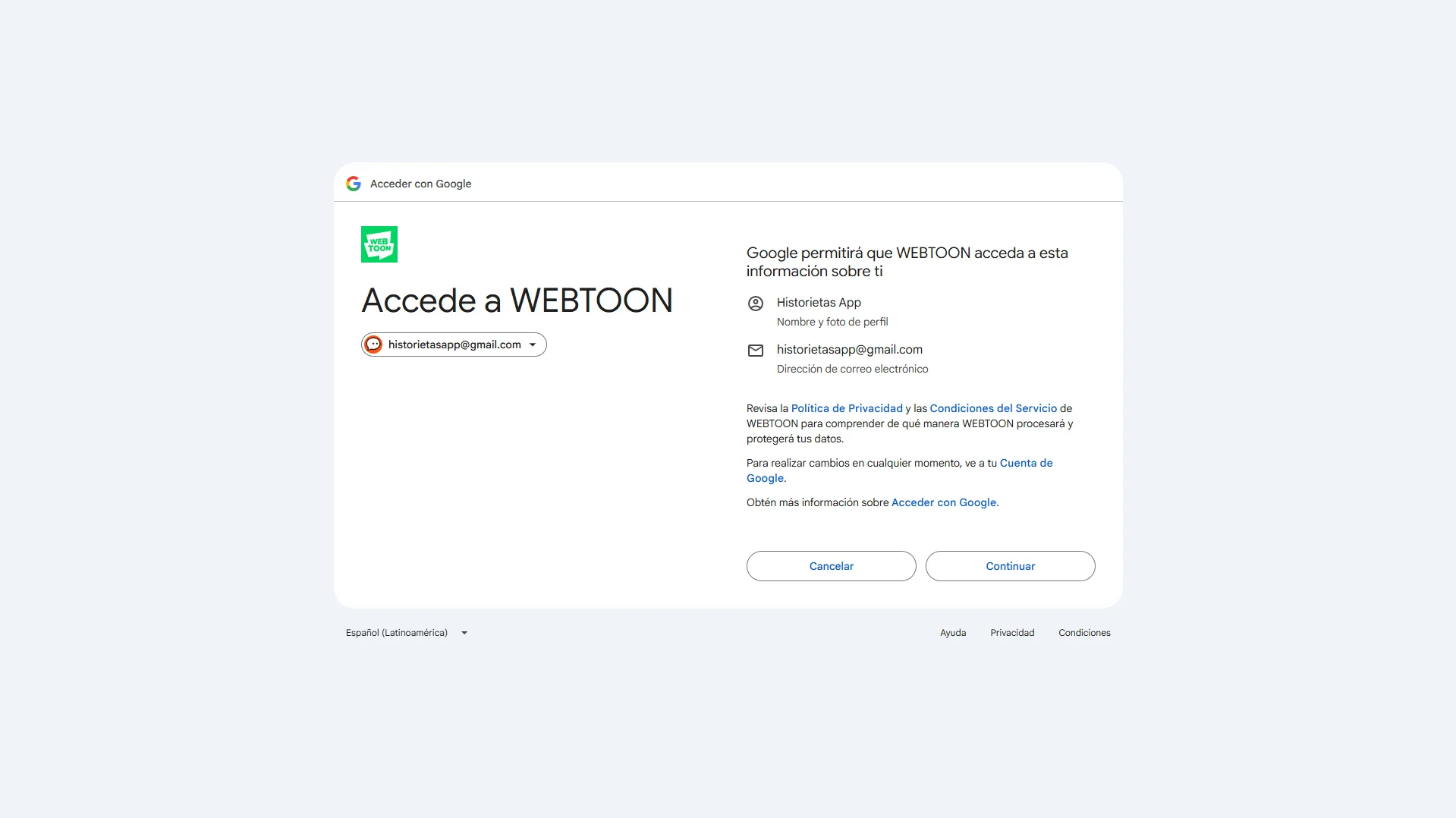
If you decide to link an existing platform (such as Google, Facebook, etc.), you won't need to fill in the form or create a new password; WEBTOON will automatically take your name and email. Choose the account you want to continue with.
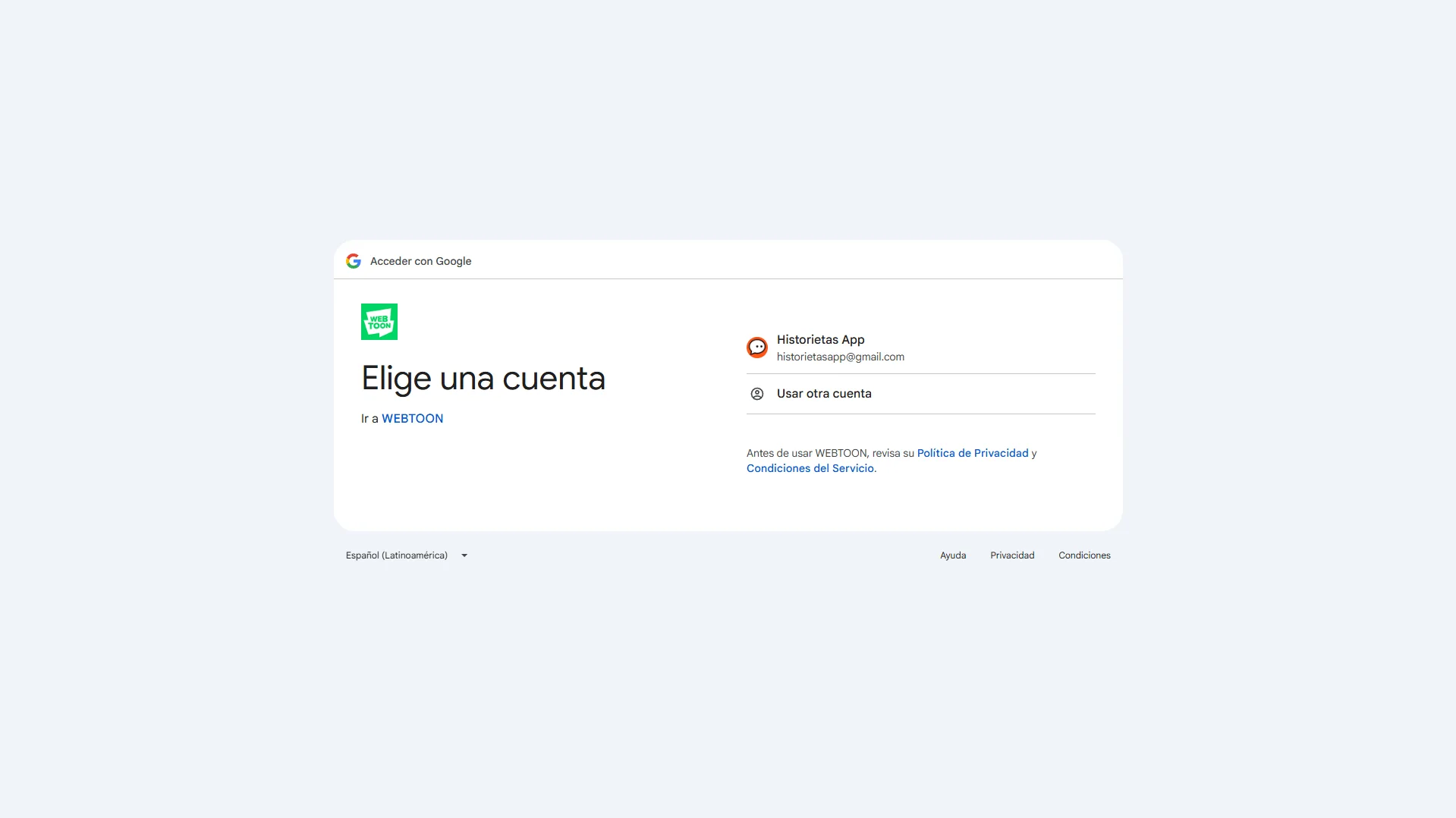
Click Continue to authorize WEBTOON to access your basic information.
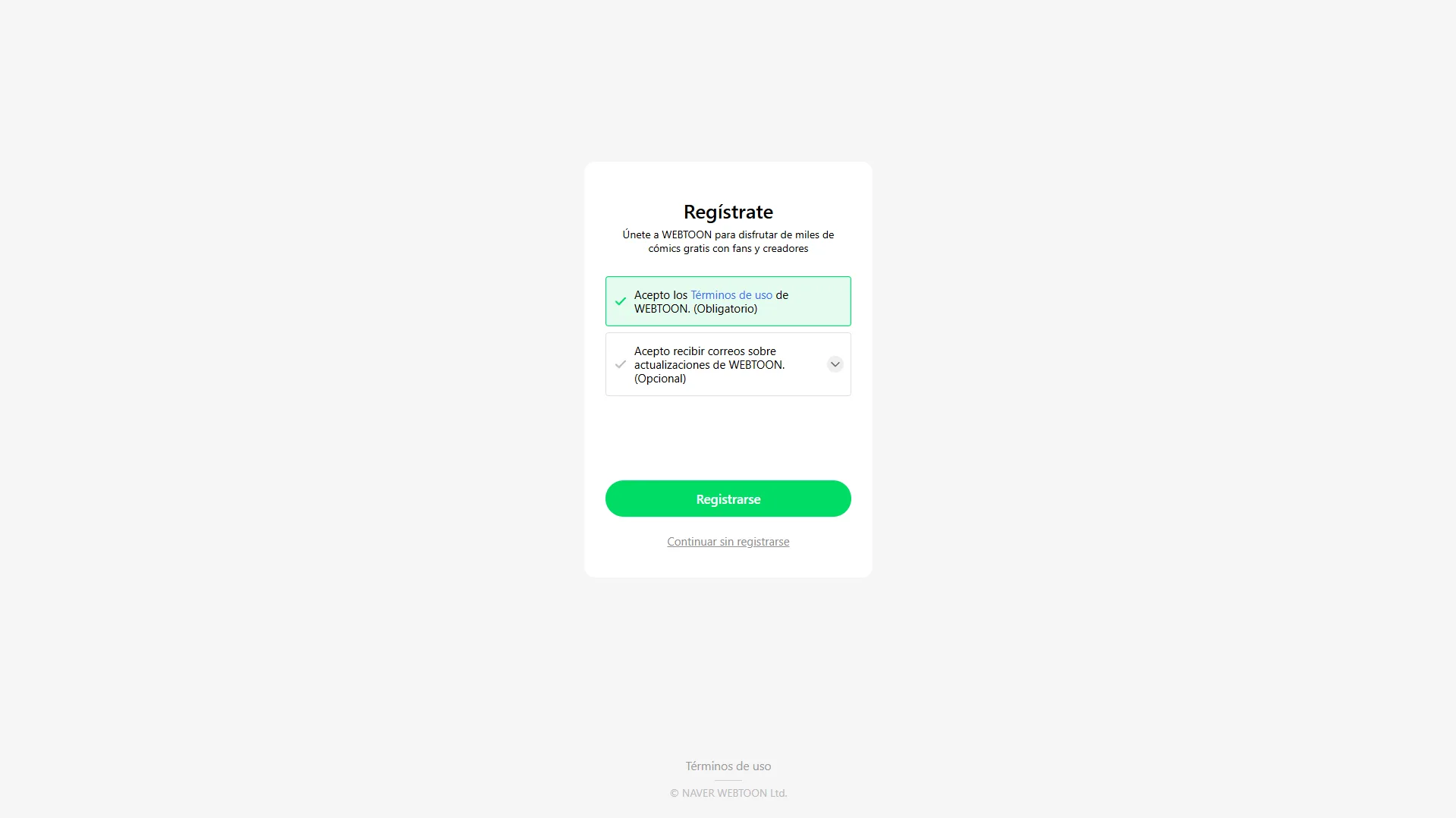
To finish, read and accept the platform's terms of use. You will also have the option to subscribe to the newsletter to get updates. Complete the process by pressing the green Sign Up button.
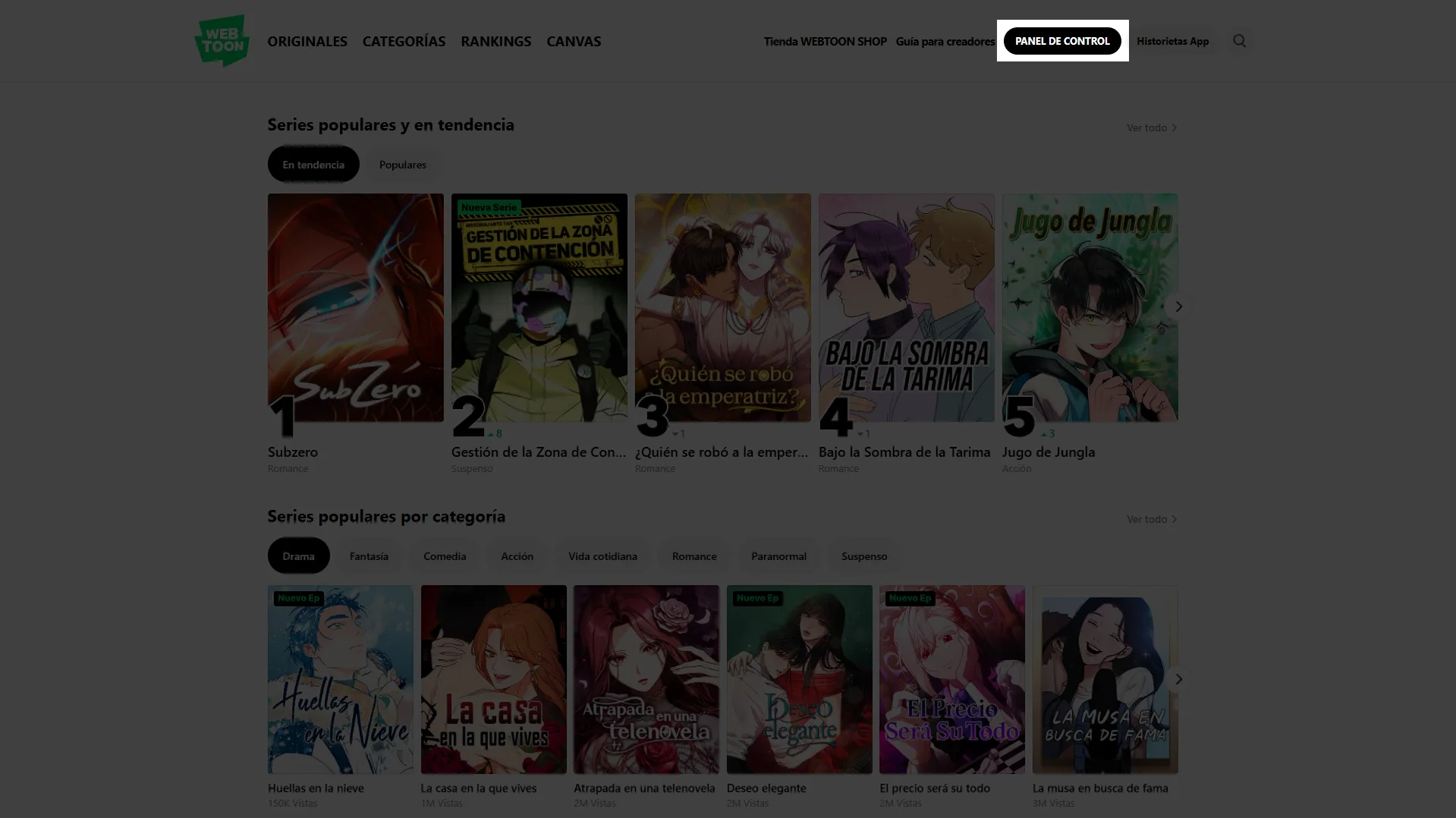
Step 2: Go to your Dashboard.
Once your account is active and you are logged in, you will be ready to make the leap from reader to creator. Go to the top right of the screen again and click the black Dashboard button. This will be your command center for managing your publications.
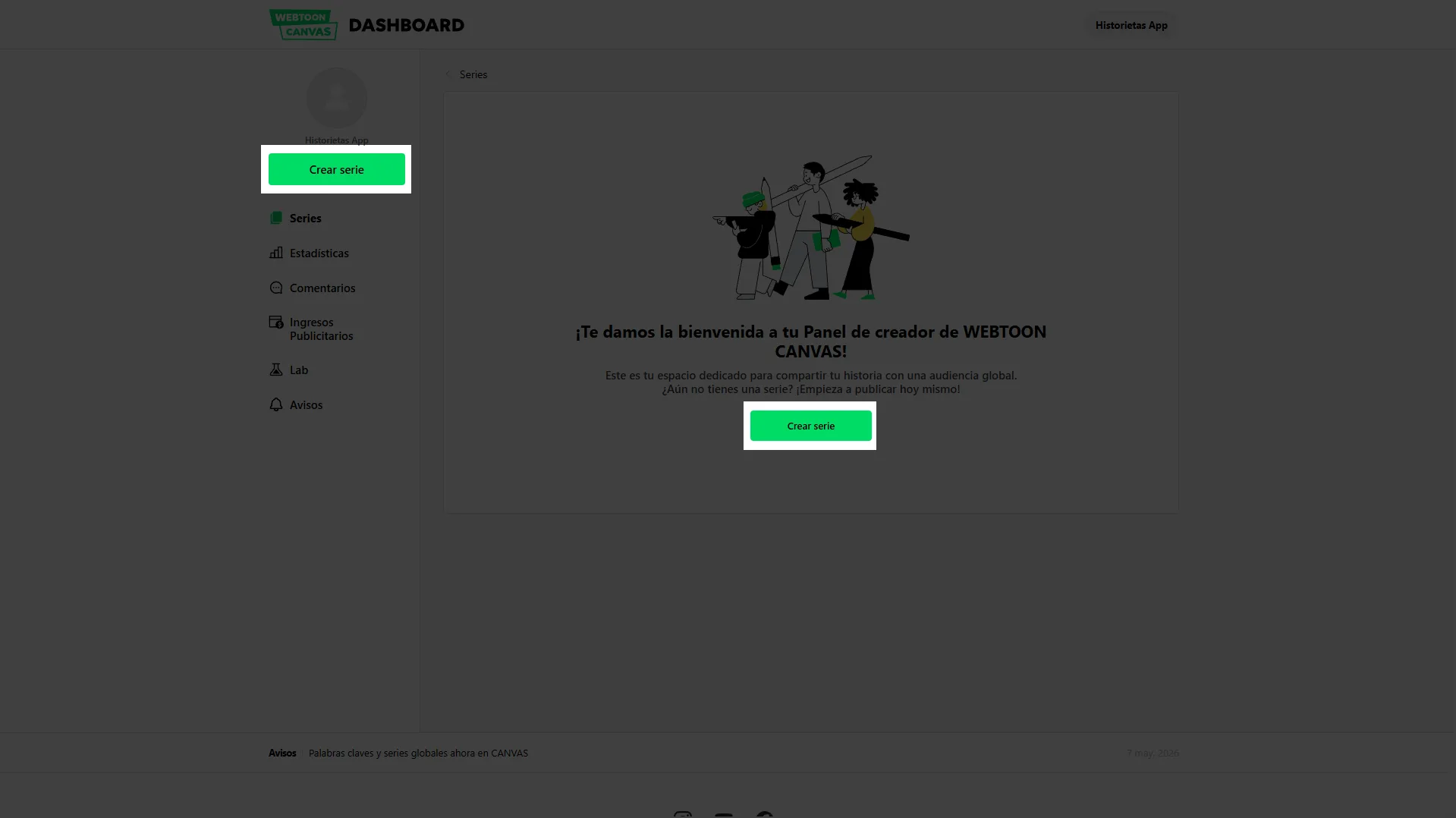
Step 3: Create a series.
The "Dashboard" is your portfolio of works. If this is your first time here and you are looking for how to publish my comic on webtoon, the screen will welcome you with the Create Series button (which appears twice for your convenience). Click either one.
Next, you will reach the series form. Here you will define the identity of your comic before uploading chapters. You will need to fill in the following fields:
- Basic information: The title of your work and an appealing description (synopsis) that hooks readers.
- Genres: Select the categories that best represent your story.
- Visual files (Covers): You will need to prepare two essential images so WEBTOON can promote your work in different sections of the platform:
- Vertical Cover: 1080 x 1920 pixels.
- Square Cover: 1080 x 1080 pixels.
- Technical requirements: Both must be in JPG, JPEG or PNG format and weigh less than 500 KB each.
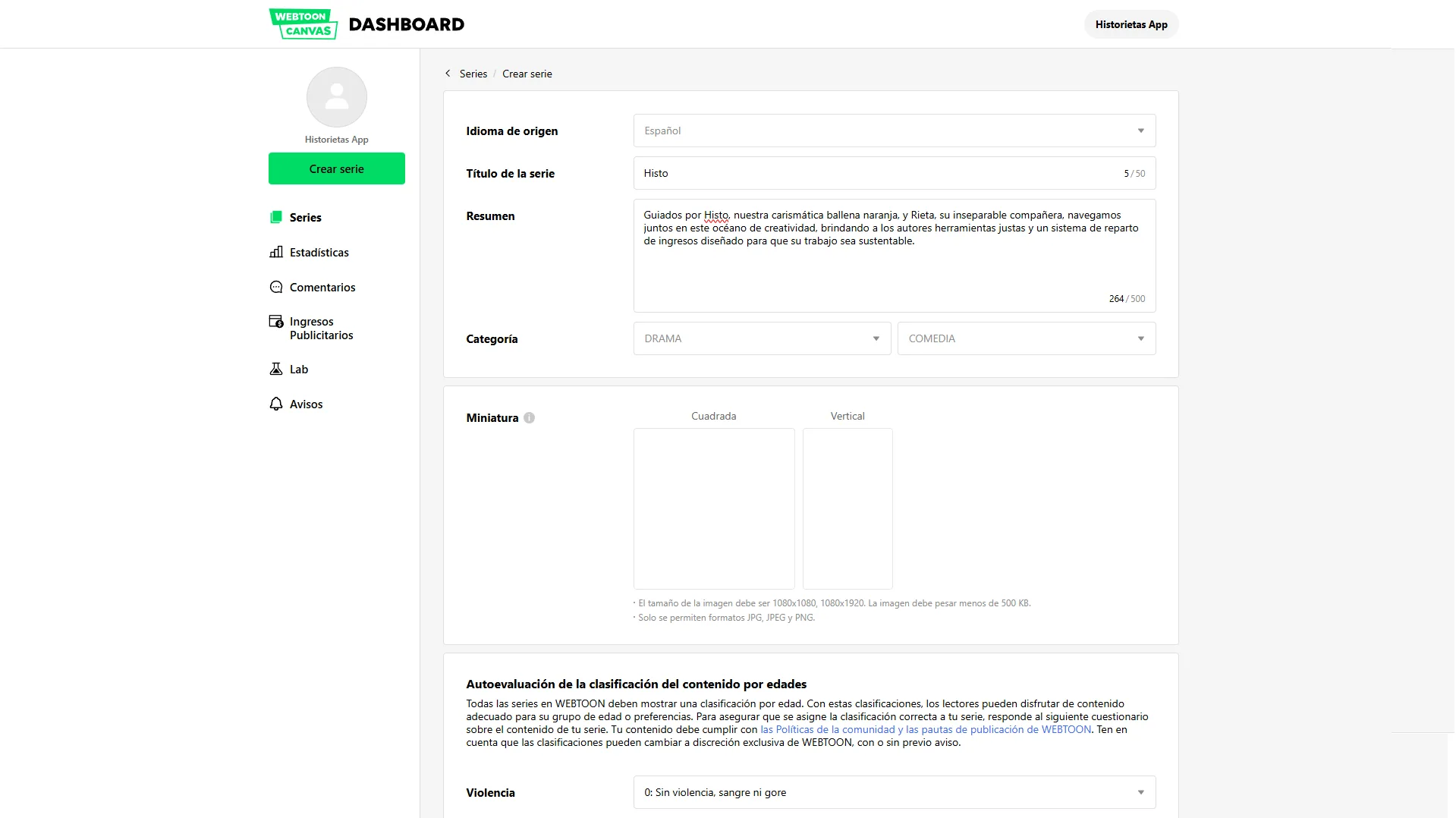
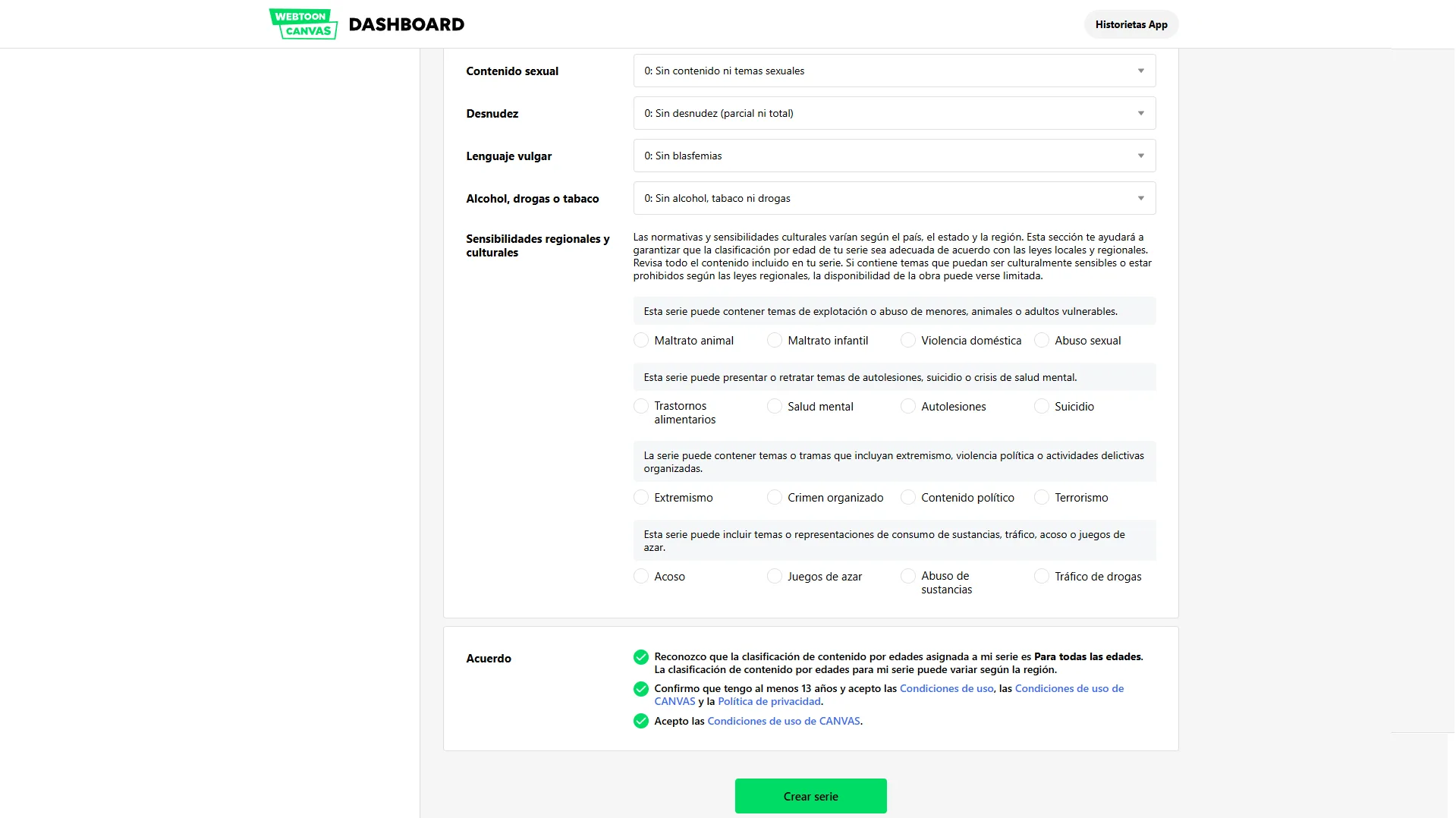
To finish, read and accept the Terms and Conditions Agreement at the bottom of the page, and click the green Create Series button.
Step 4: Upload your episode.
Congratulations, your series now exists! Right after creating it, the system will automatically redirect you to the form to upload your content and learn how to publish a story on webtoon effectively.
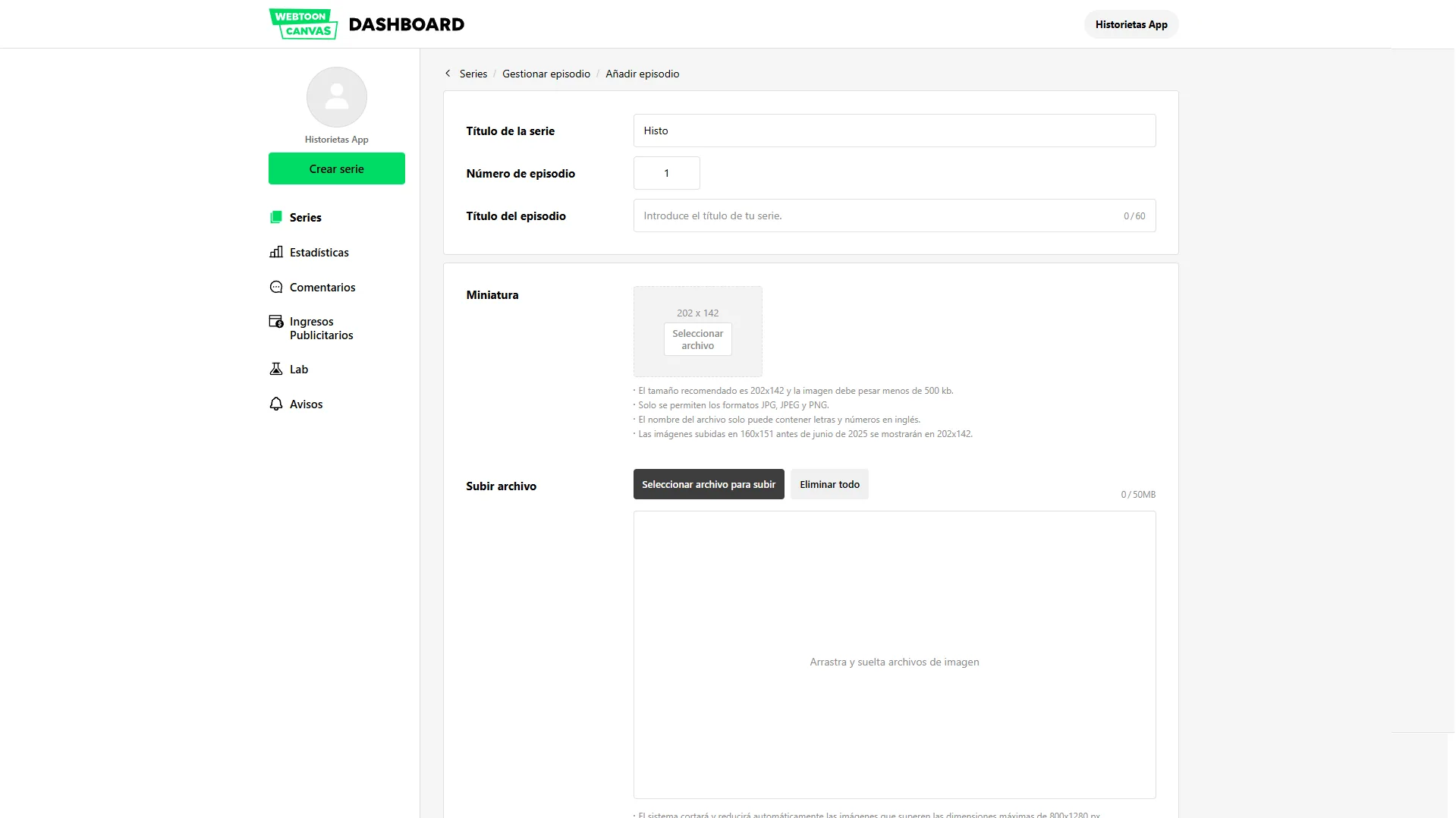
To set up your episode, take into account the following elements:
- Episode title: Give this chapter a name or number.
- Preview image (Thumbnail): This is the thumbnail users will see in the chapter list. It must measure exactly 202 x 142 pixels and use the same image formats as above (JPG, JPEG, PNG).
- The "pages" of your comic (Vertical Scroll Format): In webcomics we don't talk about traditional pages, but about a continuous canvas. So that your images load correctly, WEBTOON optimizes them as follows:
- The system automatically scales images to a fixed width of 800 pixels.
- If any of your images exceeds 1280 pixels in height, the system will cut it automatically.
- Technical requirements: Each image segment must not weigh more than 2 MB and must be in JPG or PNG format.
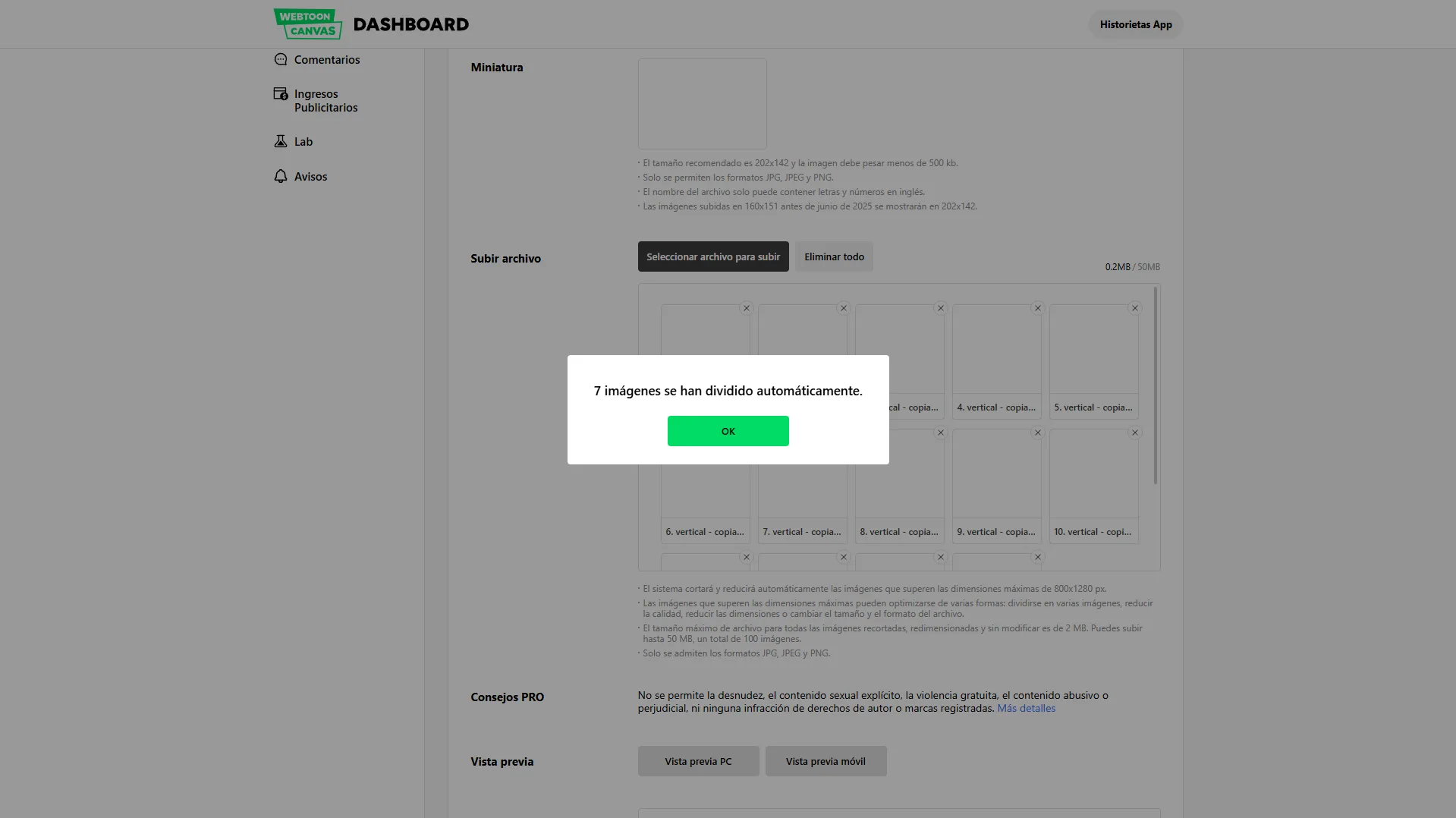
Organize your content: Once the images are uploaded, carefully check that the reading flow is correct.
- Reorder: If a section ended up out of place, you can drag and drop it into the right position.
- Delete: If you uploaded a file by mistake, remove it by clicking the X in the top right corner of the thumbnail.
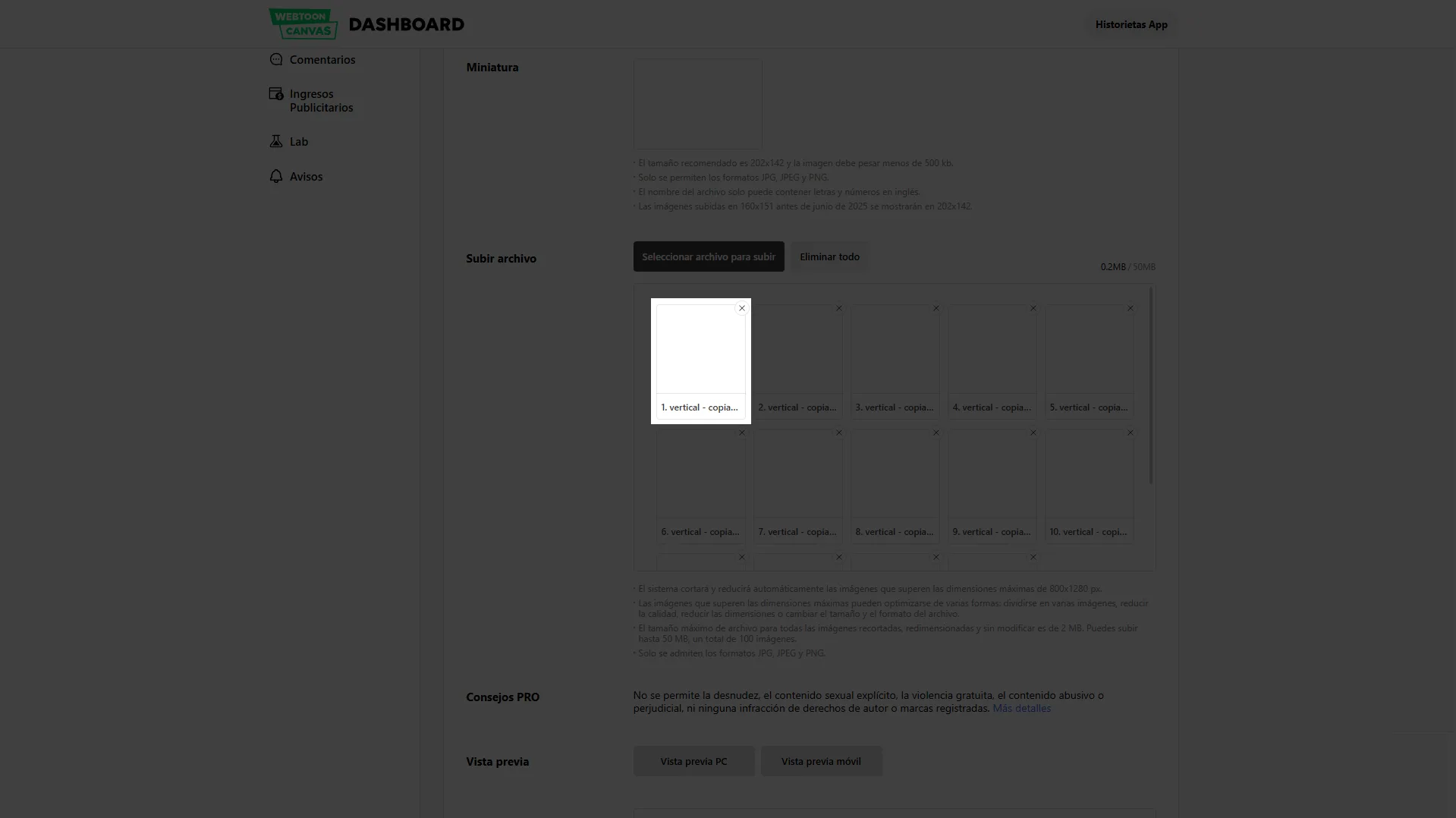
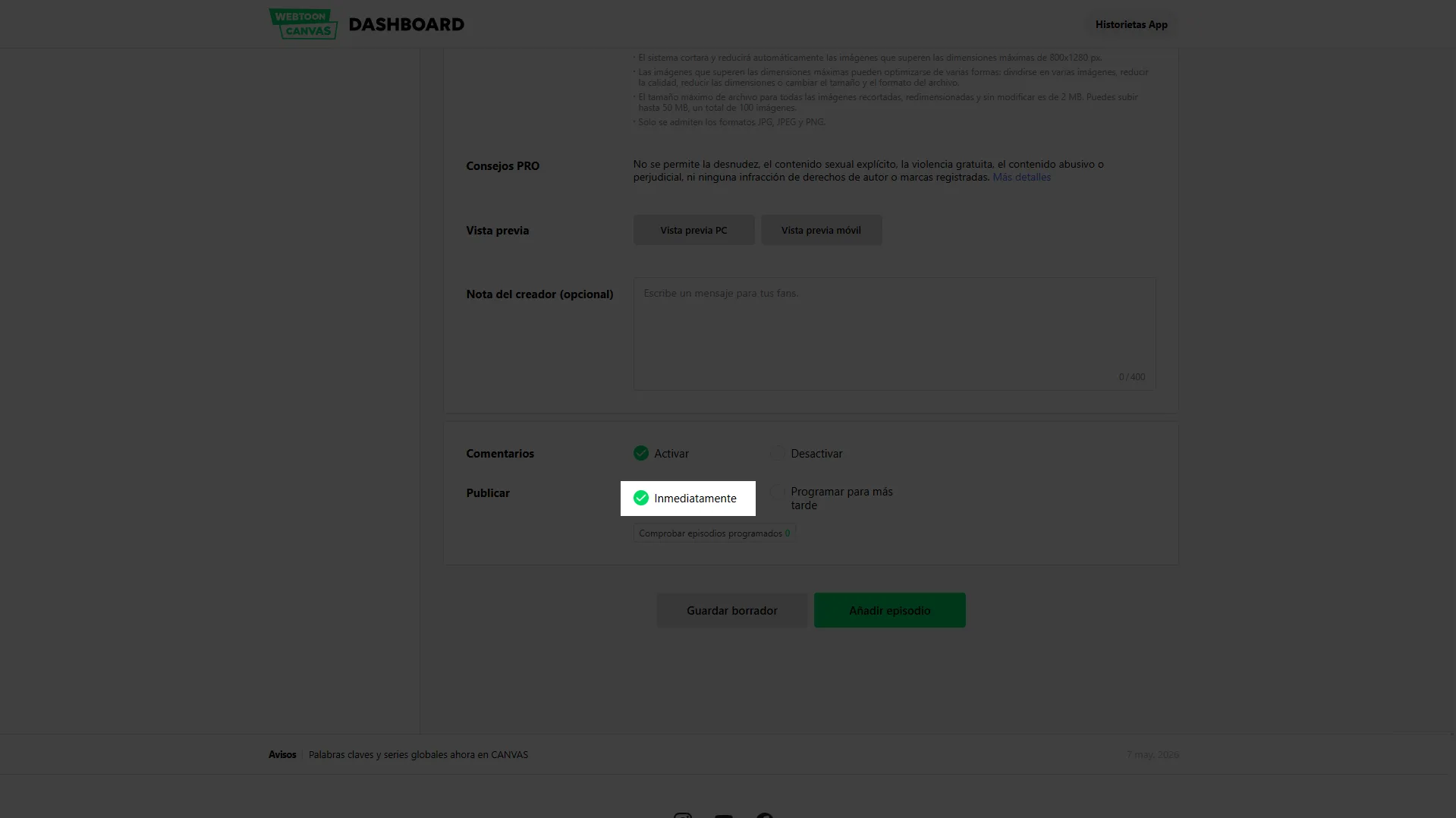
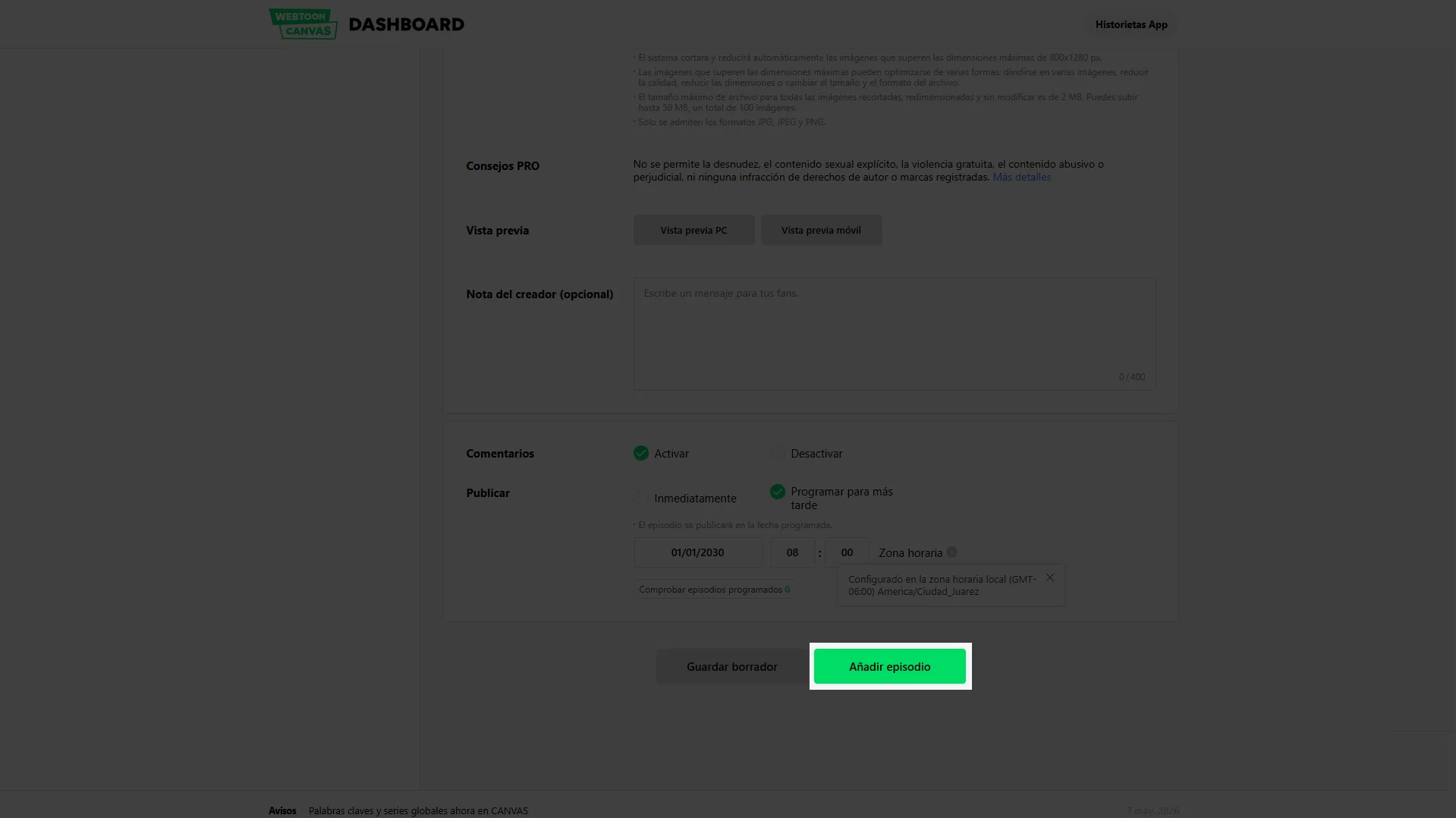
At the end of the form, you will need to decide when your chapter sees the light of day. You have two options: you can publish it immediately by selecting the option shown in the following screenshot.
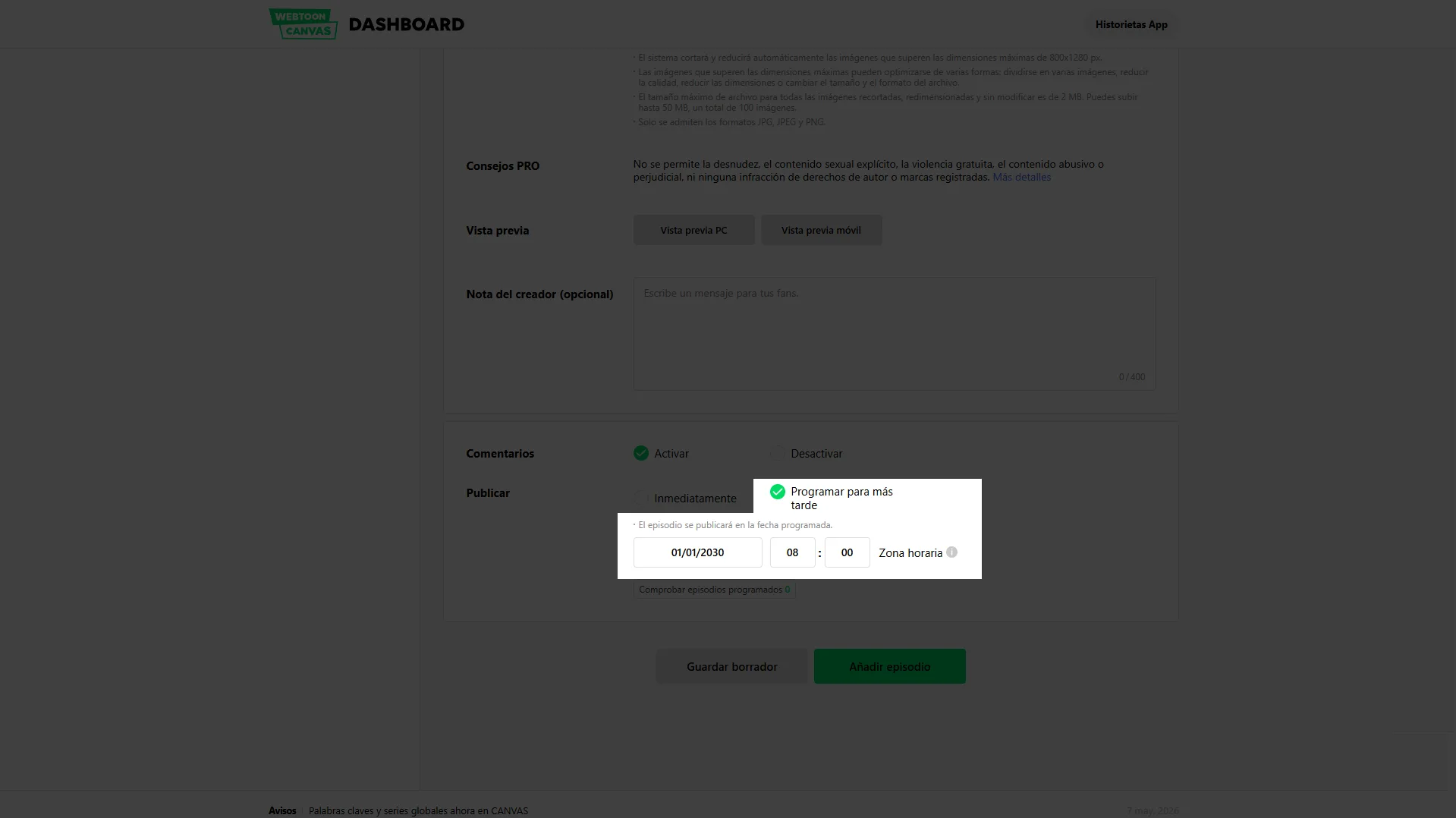
Or you can schedule the release, which lets you pick a specific date and time in the future. This is ideal for building a steady schedule, promoting on your social media and building anticipation among your followers.
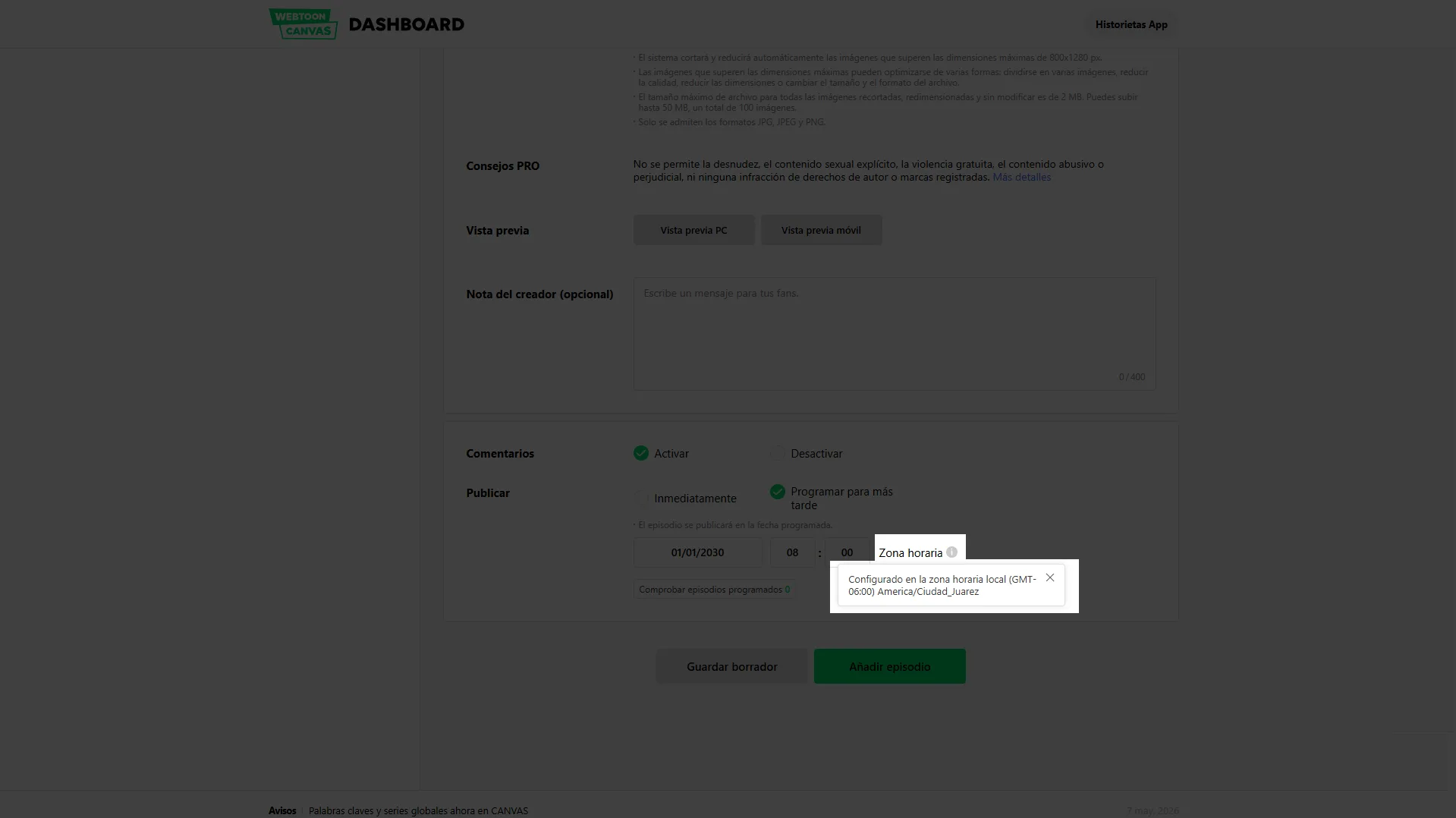
Note on timing: WEBTOON automatically detects your device's time zone to sync it with its servers. If you notice any discrepancy, make sure to adjust the time manually so it matches your release strategy.
If you still want to make changes or aren't ready to release the chapter, click Save Draft to keep your progress and continue later. If everything is ready and set up, click the Add Episode button to finish the process. Your story is now under way!
before making your first episode public, prepare at least three chapters so you can keep a steady publishing schedule in case anything comes up.
How to publish a manga on WEBTOON
Many artists want to know how to publish a manga on WEBTOON because the traditional Japanese format is usually designed for print. However, the black-and-white format is not very popular on the platform; its users prefer color panels.
Even so, there are manga-style works that have been very well received by the public, such as Heartstopper or Hellper.
That said, it is a good idea to adapt your manga to the vertical format rather than just uploading the pages in book format, to maximize your chances of succeeding on the platform.
Adapting manga to the vertical format
- Rearrange the pages.
- Widen the spaces between panels.
- Make reading easier on mobile devices.
- Optimize text and dialogue.
Prepare an appealing chapter
The first episodes are decisive for attracting readers and increasing retention. An important detail is that an average WEBTOON chapter is usually half to 80% the length of a regular manga chapter, so in some cases you can get two WEBTOON chapters out of a single 15-page manga chapter.
How to publish a comic on WEBTOON
The process for how to publish comics on webtoon or graphic novels is similar to manga. You need to adapt the chapters, panels and dialogue, especially because comics carry far more dialogue than manga or WEBTOON. A wall of text can feel heavier in vertical scroll format than it would on a printed page, so you may need to draw more panels to spread out the text and clearly understand how to publish a comic on webtoon smoothly.
- Design with mobile in mind.
- Use legible typefaces.
- Use the vertical scroll to build suspense.
- Keep a consistent visual identity.
Comics designed specifically for vertical reading usually perform better than those adapted straight from print. Color in a comic helps a lot with what the WEBTOON reader already expects.
Publishing on WEBTOON CANVAS
WEBTOON CANVAS is the official tool for independent creators and the definitive answer to how to publish webtoon freely and independently.
From this platform you can:
- Create new series.
- Schedule releases.
- Manage episodes.
- Check statistics.
- Monetize eligible content.
How to publish on WEBTOON from your phone
Solving the question of how to publish on webtoon from your phone gets a bit complicated with WEBTOON, since its website is not responsive, meaning it isn't designed for phones, and the content becomes very small and hard to handle.
On the other hand, the app is designed only for readers and has no section for publishing, so publishing from your phone will be a bit tricky, but it is possible, here is the guide.
Common mistakes when publishing on WEBTOON
- Publishing without backup chapters.
- Ignoring the mobile experience.
- Updating irregularly.
- Using unappealing covers.
- Creating episodes that are too short.
Avoiding these mistakes increases your chances of growing on the platform.
Comparison
| Aspect | Histo | WEBTOON | Advantage |
|---|---|---|---|
| Audience reach | Small community, mainly Spanish-speaking. | Global audience with millions of readers. | WEBTOON |
| Ease of standing out | Less competition and more initial visibility. | Highly saturated with content. | Histo |
| Early monetization | Easier access to income, donations and sales. | Some features require meeting audience requirements. | Histo |
| Earning potential | Limited by the size of the community. | Very high for successful series. | WEBTOON |
| Creator tools | Basic publishing and monetization features. | Advanced analytics, monetization programs and localization. | WEBTOON |
| Content discovery | Easier to appear in front of new readers. | Advanced algorithms but lots of competition. | Histo |
| Available catalog | Small and focused on independent creators. | Thousands of series across many genres. | WEBTOON |
| Platform prestige | Emerging. | World leader in webcomics. | WEBTOON |
| Spanish-speaking community | Stronger regional focus. | International and multilingual. | Histo |
| Professional opportunities | Currently limited. | Possible contracts, adaptations and international promotion. | WEBTOON |
| Reading experience | Simple and community-focused. | Mature, highly optimized app. | WEBTOON |
| Competition among authors | Low. | Very high. | Histo |
| Ideal profile | New creators looking for quick visibility and a less saturated community. | Creators with large followings looking for global reach and professional growth at scale. | Depends on your goals. |
| Aspect | Histo | WEBTOON | Advantage |
Histo stands out for its accessibility, lower competition and ease of getting initial visibility. WEBTOON excels with its worldwide reach, advanced tools and large-scale monetization potential.
Looking for an alternative to publish your manga or comic?
If you are comparing platforms to share your story, explore Histo and discover an option designed for independent creators.
Monthly Awards Revenue Sharing ProgramFrequently Asked Questions
How do you publish on WEBTOON?
You need to create an account, go to WEBTOON CANVAS, set up your series and upload your episodes.
How do you publish a manga on WEBTOON?
By adapting your content to the vertical format and uploading it through WEBTOON CANVAS.
How do you publish a comic on WEBTOON?
By creating a series and setting up the cover, description and episodes from the creator dashboard.
Can you publish on WEBTOON from a phone?
Yes. If you want to know how to publish on webtoon from your phone, you can manage and publish episodes by switching your smartphone or tablet browser to desktop view.