How to Publish on Shueisha's Manga Plus Creators: Complete Guide
Learn step by step how to upload your work to Manga Plus Creators, Shueisha's official platform for introducing your manga to the whole world.
Start the Guide
Contents
- What is Manga Plus Creators by Shueisha?
- How do you publish on Manga Plus Creators?
- How do you upload content to Manga Plus Creators?
- Can non-Japanese creators publish manga?
- How much does it cost to publish a manga?
- How to publish from your phone
- Common mistakes when uploading your manga
- Platform comparison
- Frequently asked questions
What is Manga Plus Creators by Shueisha?
Manga Plus Creators is the official, free platform launched by the Japanese publisher Shueisha (the company behind the legendary magazine Weekly Shonen Jump). Designed as a direct bridge between independent artists around the world and the Japanese publishing market, it has become the ideal website if you're wondering where can I publish my manga? while keeping control of your work.
1. Flexible Reading Format (Traditional Pages with right-to-left reading only vs. Scroll)
Unlike other platforms focused exclusively on the vertical format, Manga Plus Creators by Shueisha respects the original format of Japanese manga. It lets authors upload their chapters in traditional page view (with right-to-left reading only) or adapted to vertical scroll, giving you a bit more creative freedom, though with important limitations.
2. Global Audience and Connection with Manga Plus
The biggest draw of this ecosystem is its visibility. The most popular and highest-voted manga in the creators section get a direct promotional spot in the main MANGA Plus app, sharing the shop window with worldwide hits like One Piece, My Hero Academia or Jujutsu Kaisen.
3. The Monthly Award System
The ecosystem rewards talent every month through the Manga Plus Creators Awards. Works are evaluated both by community score and by Shueisha's own editorial team:
- Gold Award: Includes a significant cash prize (roughly one million yen) and the official publication of the work in the MANGA Plus app and the digital magazine Shonen Jump+ in Japan.
- Silver and Bronze Awards: Offer cash incentives and direct review by professional Japanese editors to help you improve your storytelling and art.
Monetization Paths and Incentives for Creators
1. Cash Prizes from the Shueisha Ecosystem
If you're wondering how to publish a manga for free and earn money at the same time, the monthly award system is your best option. You don't need a massive number of followers to be evaluated; a work with excellent technical and narrative quality can jump straight onto the podium thanks to the judgment of Shueisha's editors.
2. Community Programs and Direct Interaction
The platform lets you get instant feedback from a community passionate about manga. Although it currently has no native shared ad revenue system open to all creators in their early stages, the visibility is the perfect springboard for driving traffic to your external monetization channels.
Publishing on this platform isn't just uploading drawings, it's applying to the international professional market. Earning a mention or an award here puts you immediately on the radar of Japan's manga industry, opening the door to an official serialization and far-reaching publishing contracts.
How can you publish a manga?
The process of how to publish on Manga Plus Creators is designed so that any artist can share their story in a matter of minutes, in a 100% intuitive way.
Before you start, make sure your pages are ready in JPG or PNG format. The platform supports excellent resolution, but remember to check that your file sizes are optimized to avoid problems while the images upload.
Step 1
Sign up on the platform
Step 2
Set up your Creator Profile
Step 3
Upload your pages
Step 4
Create and publish your work
Step 1: Sign up on the platform
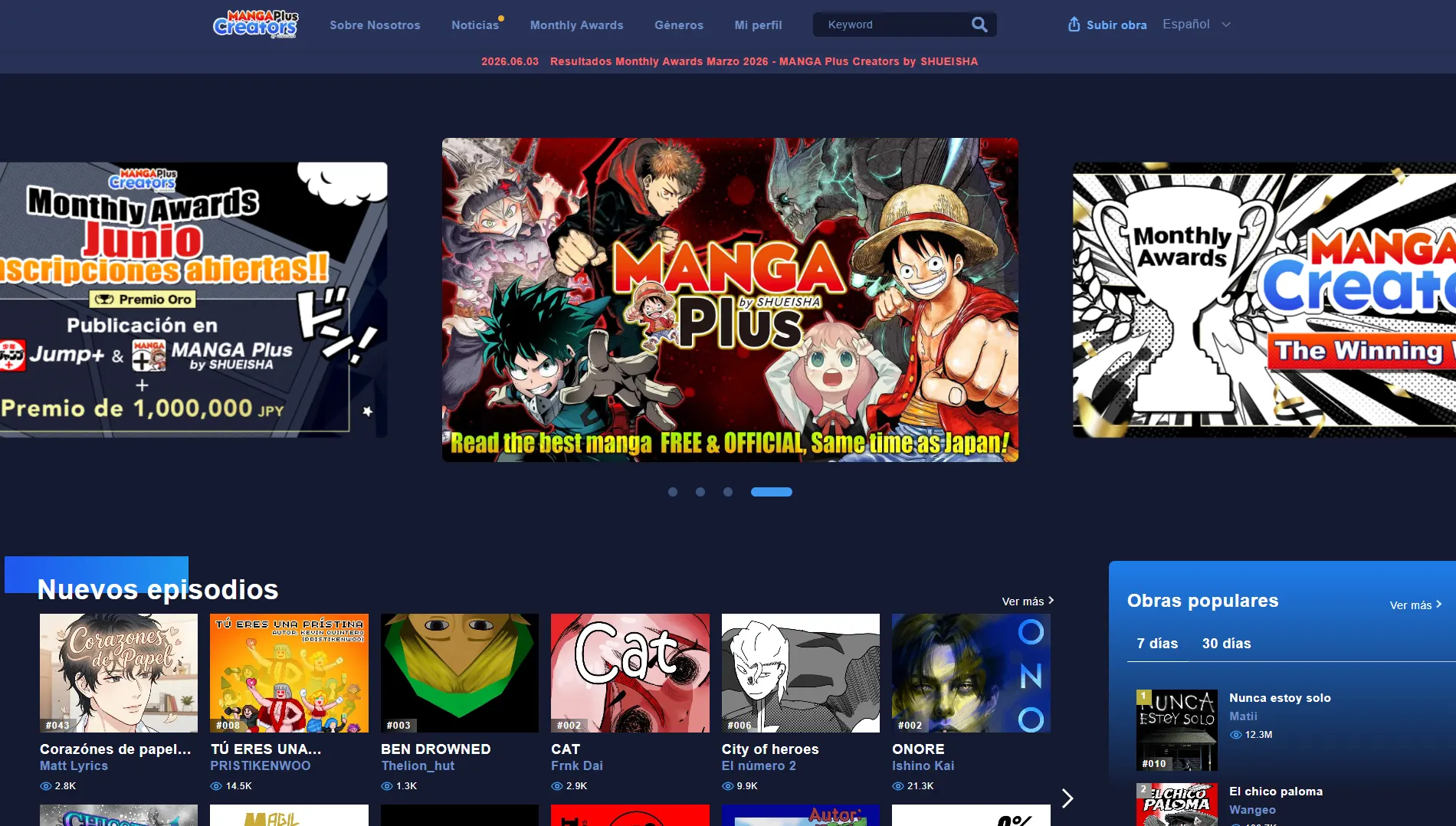
To get started, go to the top menu of the screen and click the My Profile option.
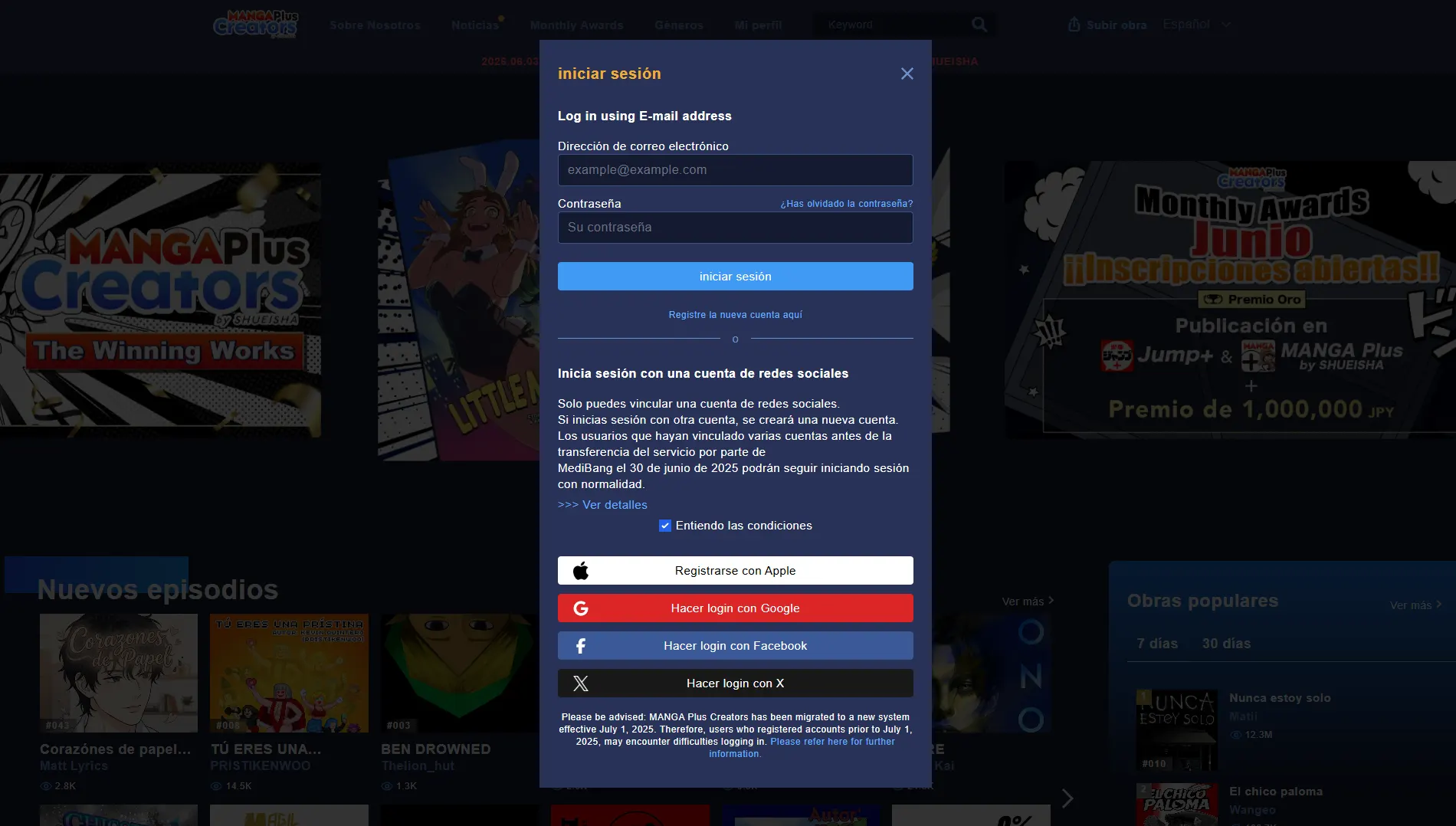
A pop-up window will open for logging in. You have two options here: click the "Register a new account here" link or choose "Log in with a social media account".
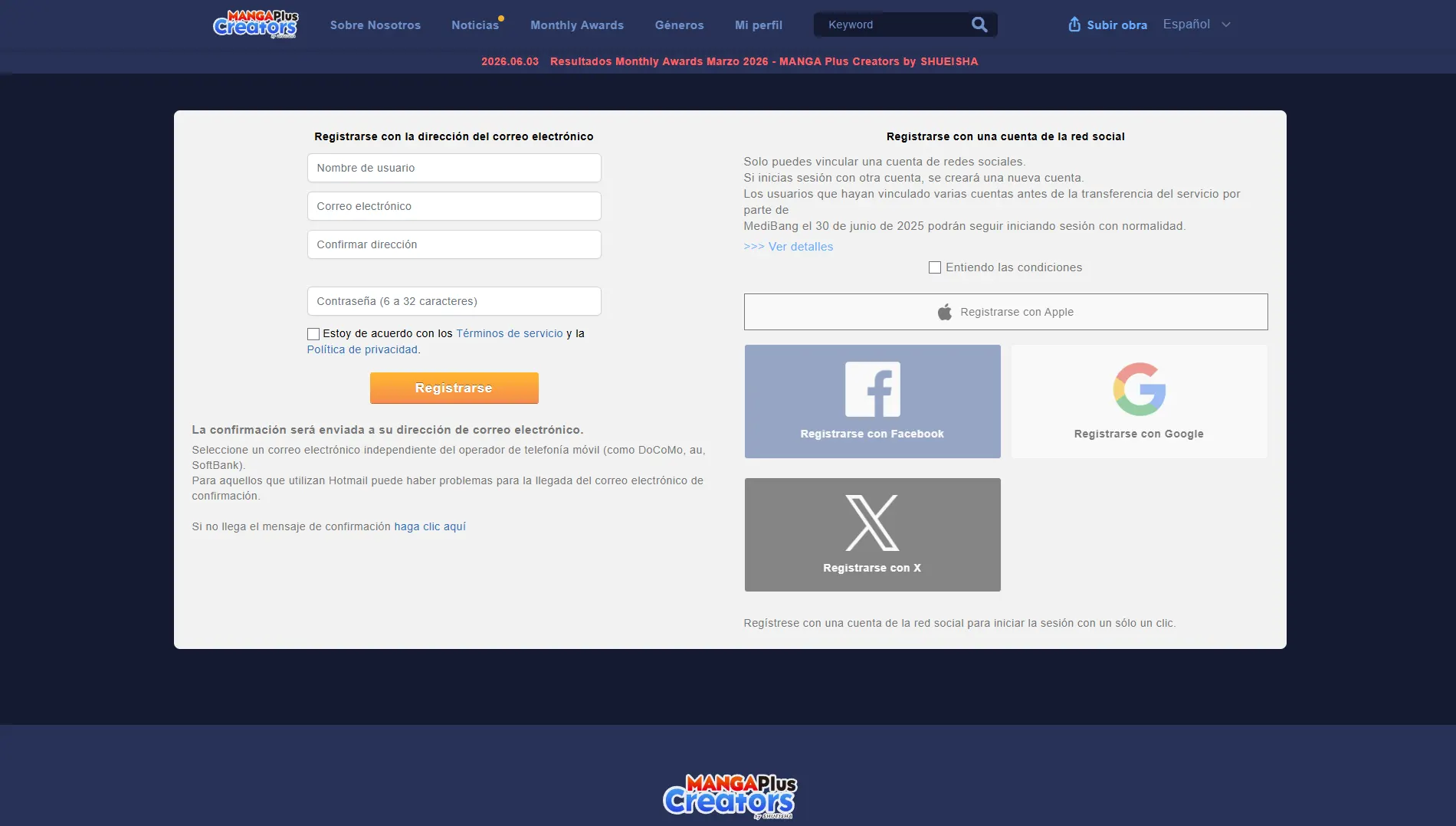
If you prefer to sign up with your email (without using social media), a form will appear where you'll need to enter your username, email and a password. (Note: On this screen you'll see the social media buttons again in case you change your mind).
If you choose to link a social media account, the system will ask you to select the account you want to use.
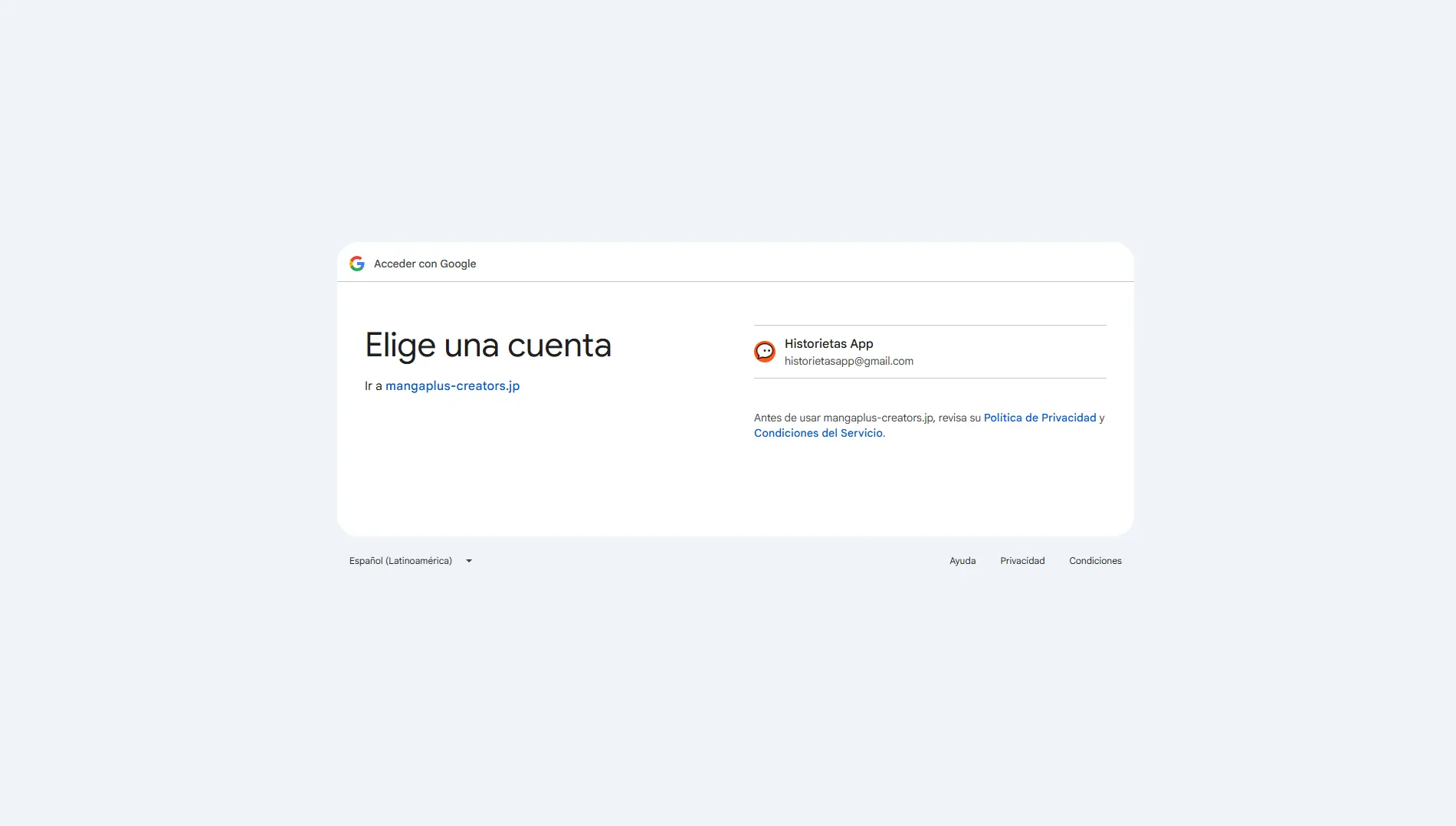
Next, the platform will request access to your basic data (name and email). The advantage of this method is that you won't need to create a new password.
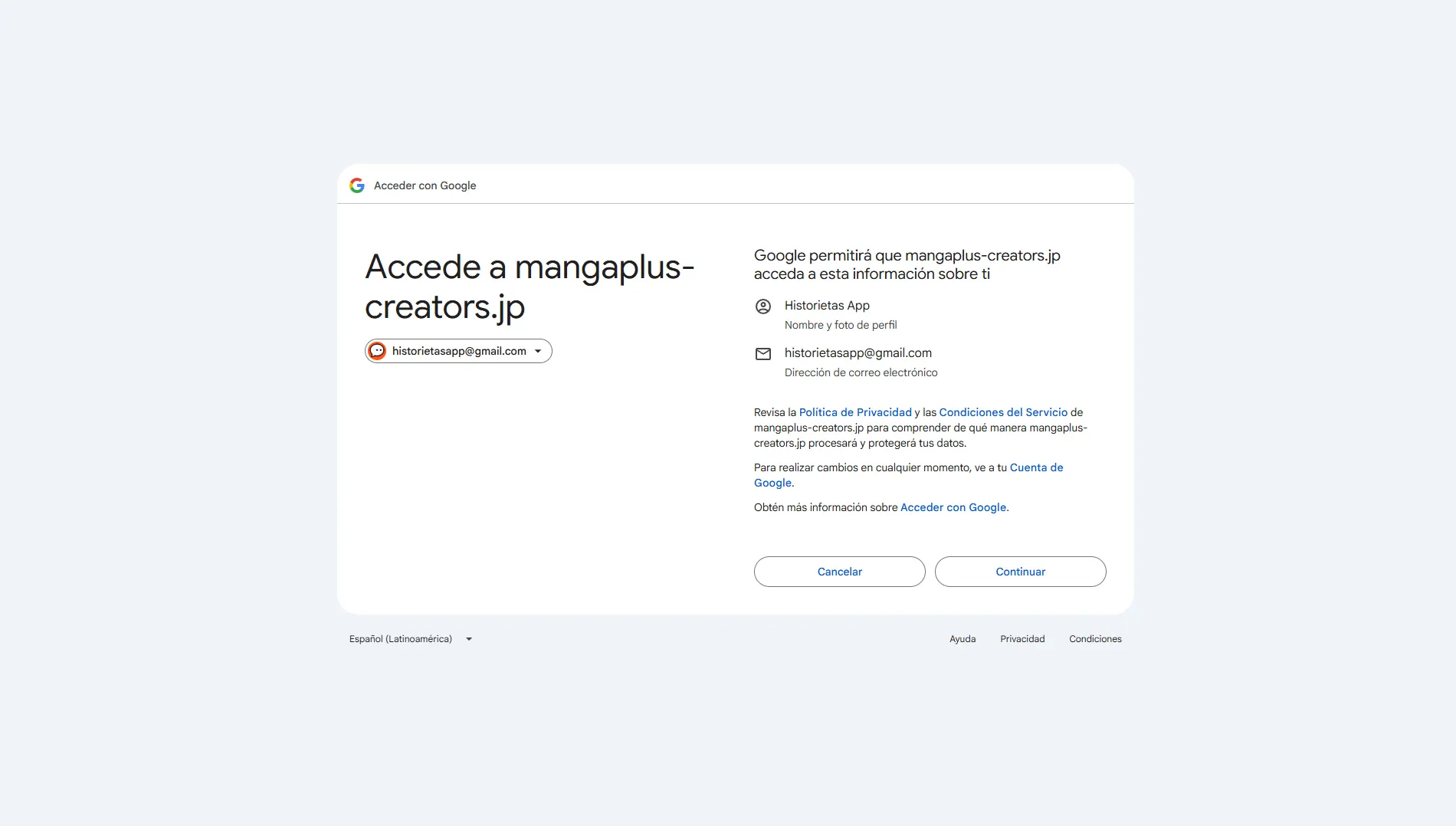
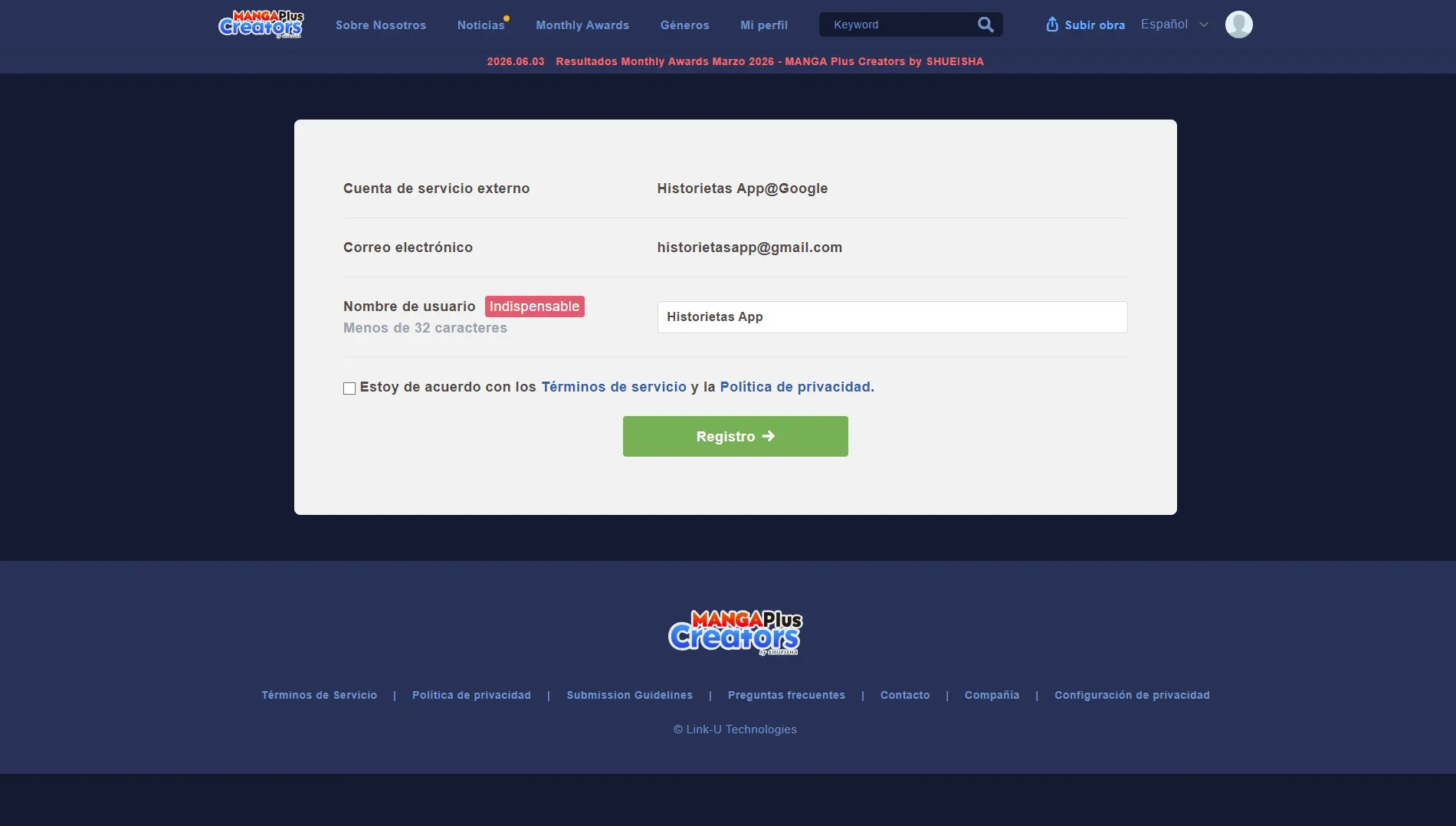
Once you've accepted the permissions, confirm the Terms of Service and the Privacy Policy. At this point, the system will also give you the chance to change your username if you wish.
Step 2: Set up your Creator Profile
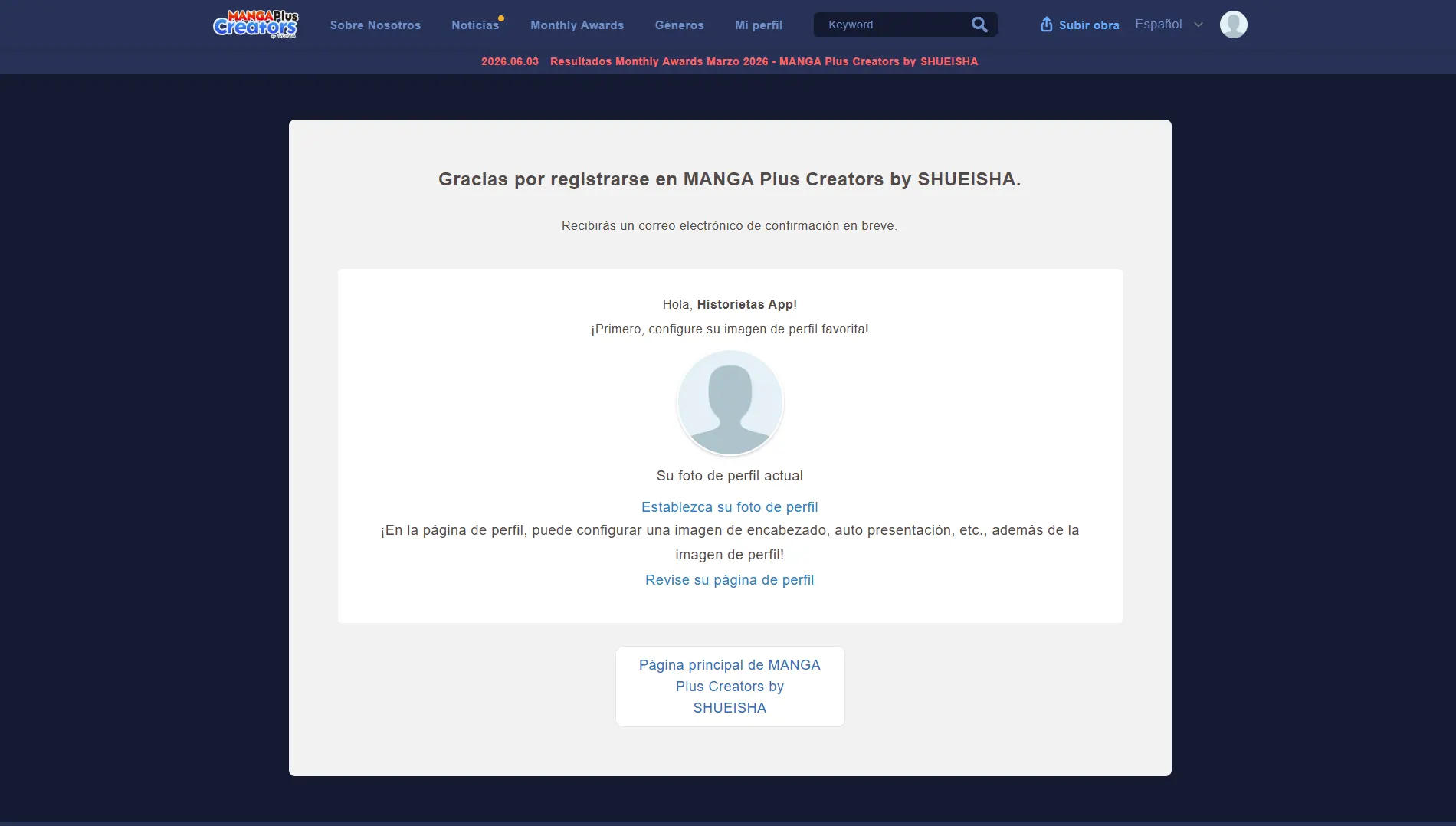
Sign-up complete! You'll see a thank-you screen with several links to customize your account. Click the "Set your profile photo" option.
This will take you to a profile form. We recommend filling in as many fields as you can; this helps readers get to know you better and find your work easily.
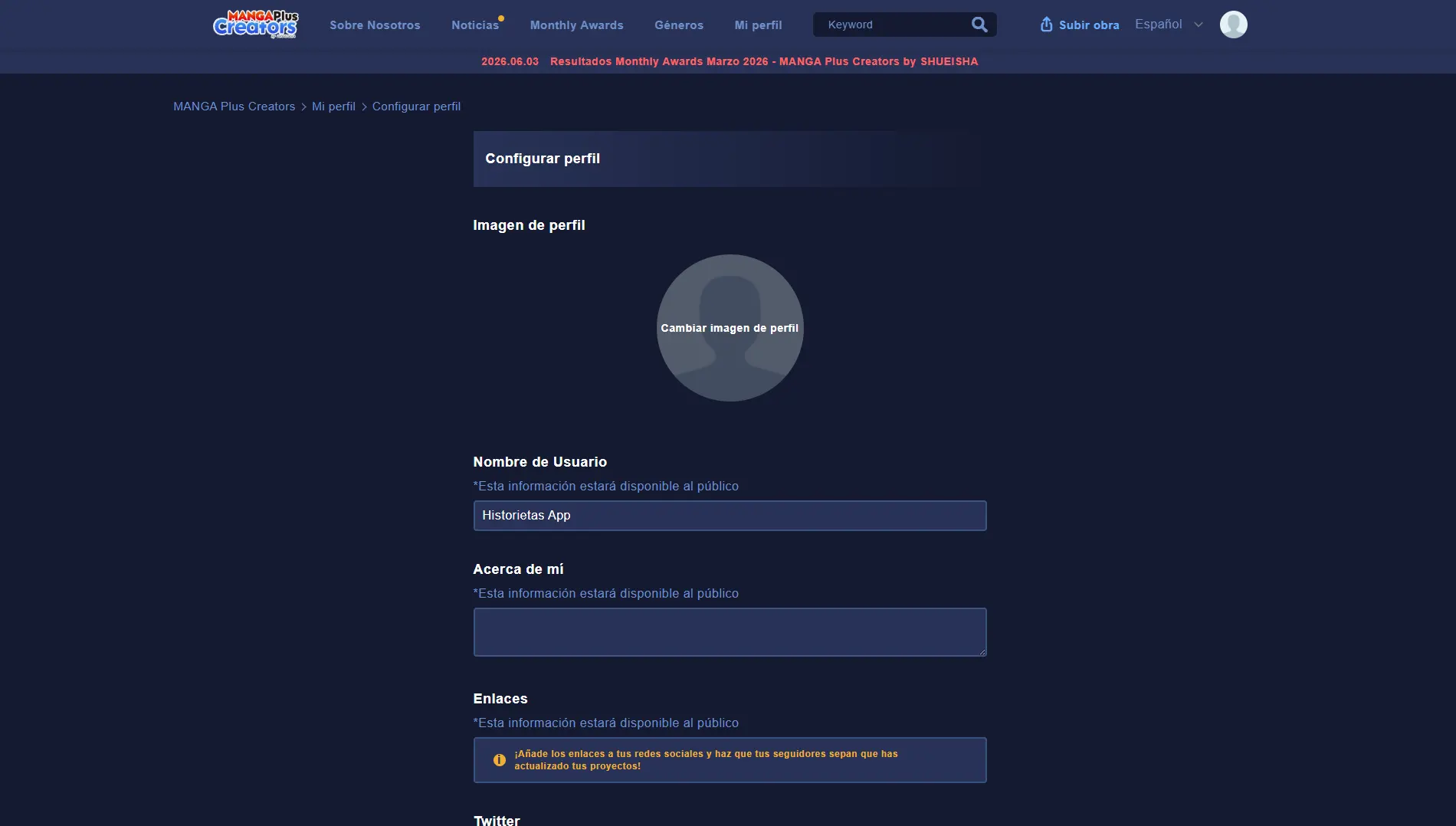
When you've finished filling in your details, scroll to the bottom of the page and click the Save settings button.
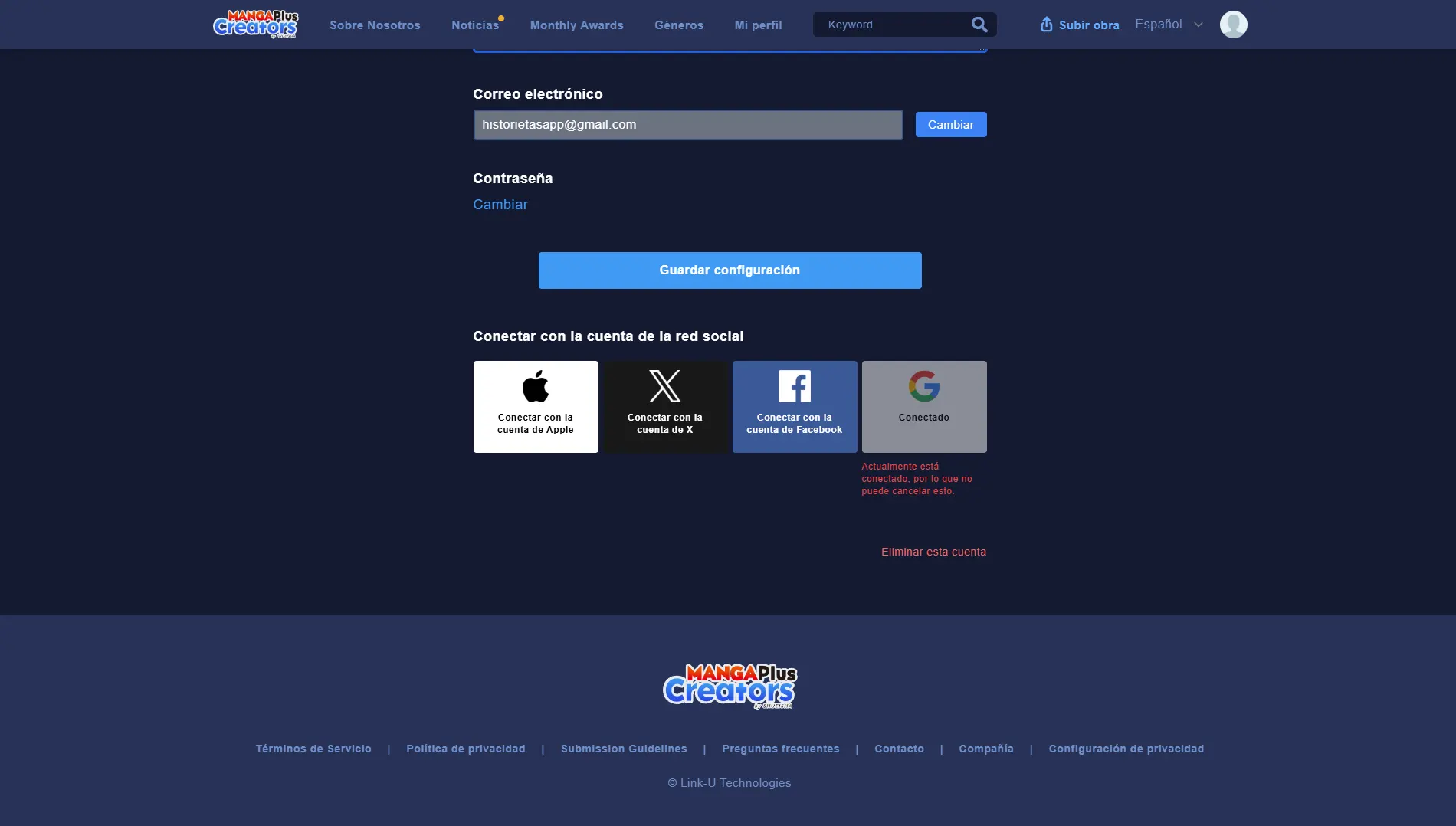
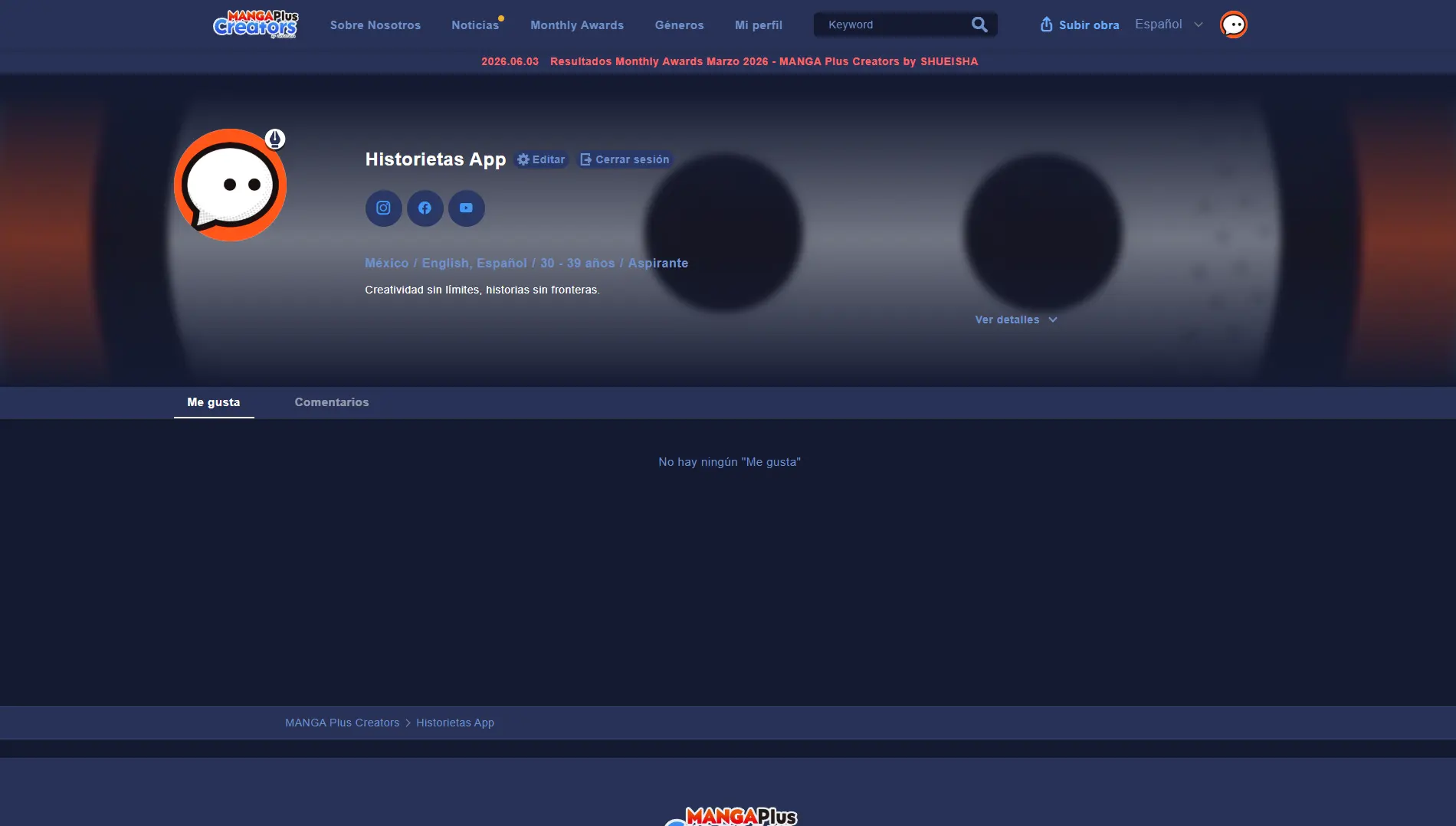
You'll be redirected to your public profile. You'll notice a new button at the top that says Upload Work. Click it to continue.
Step 3: Upload your pages
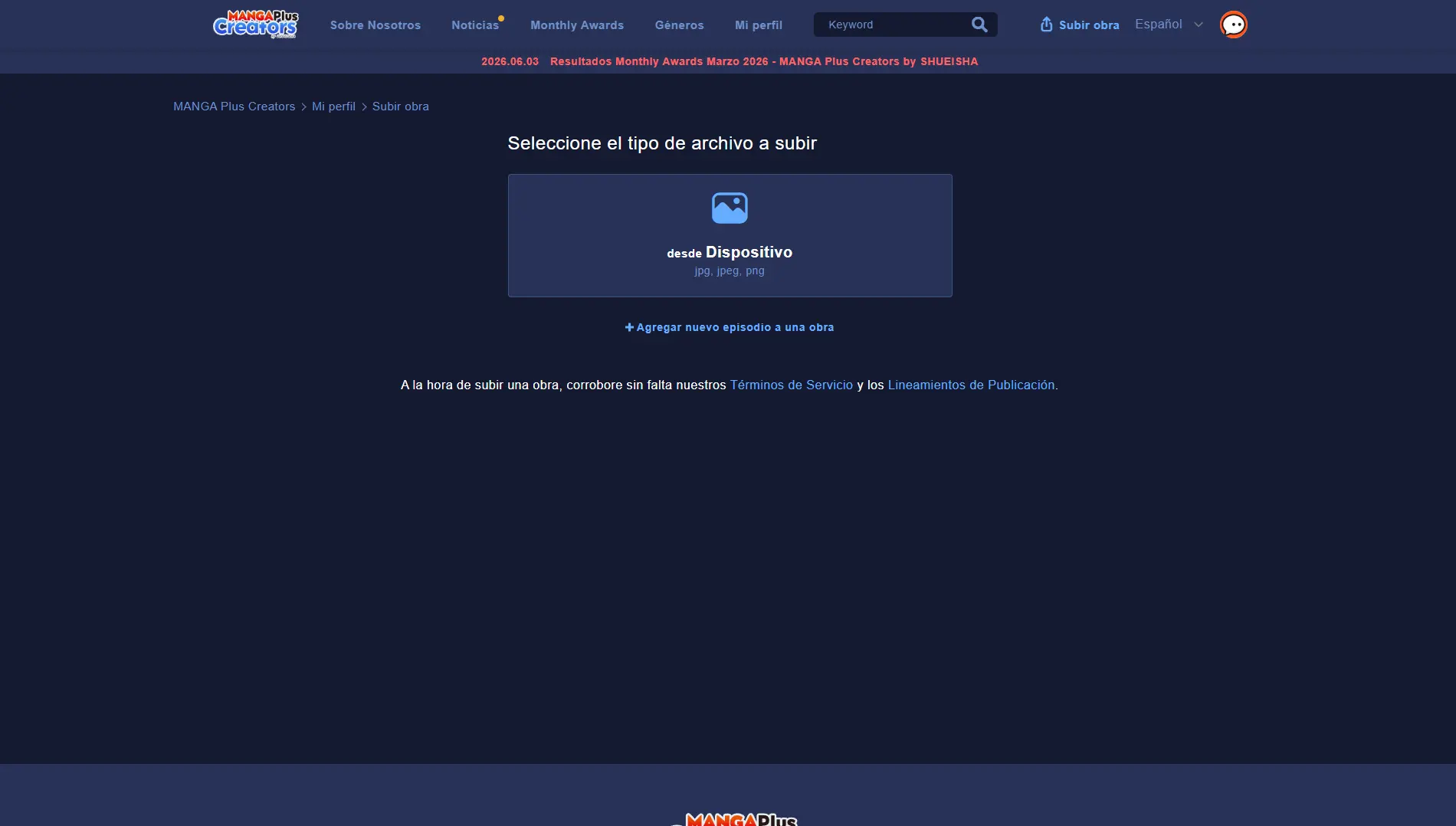
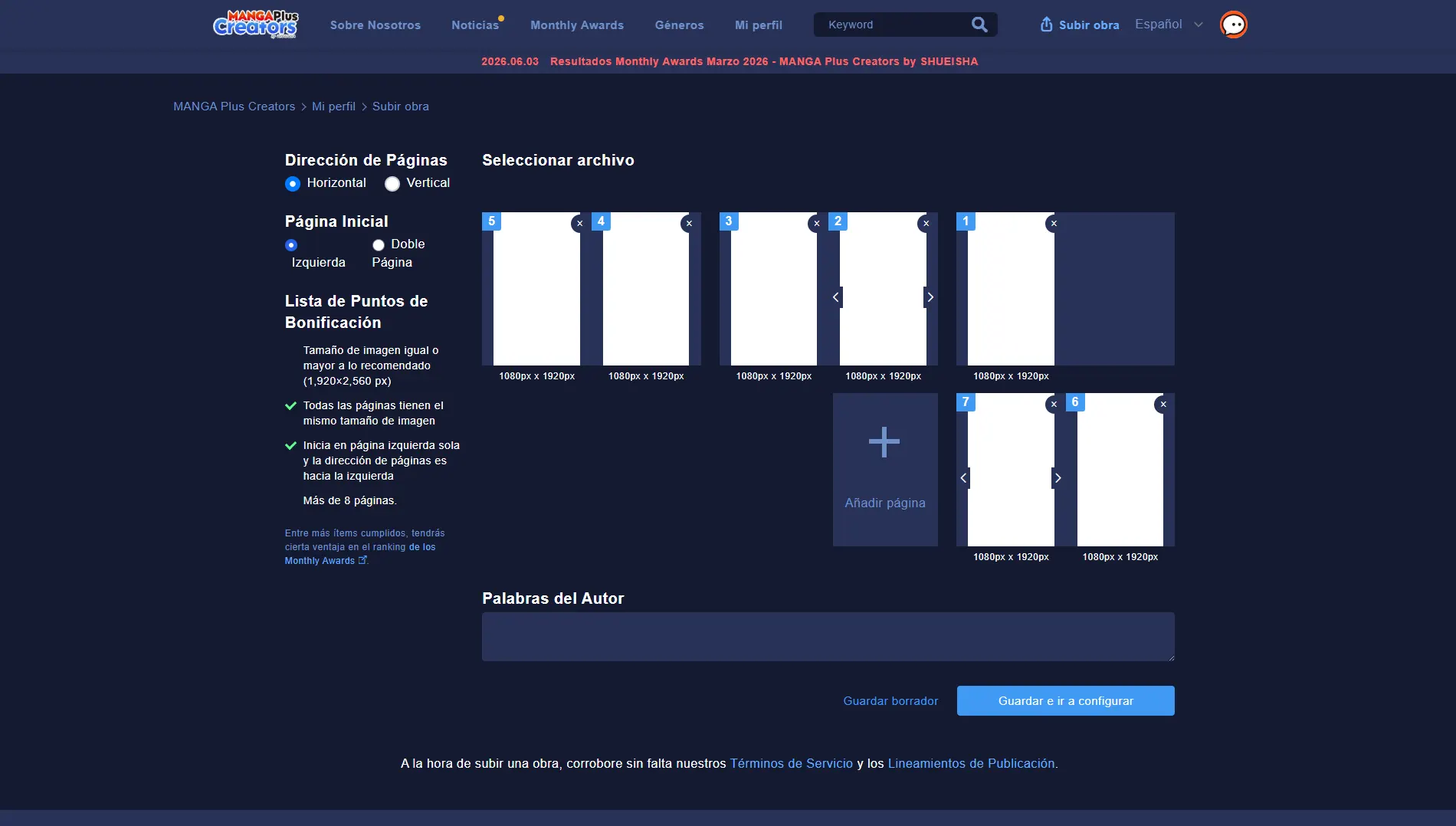
The platform will first show you the technical specifications and allowed formats for your files. To move forward, click the main box or the Add new episode to a work button.
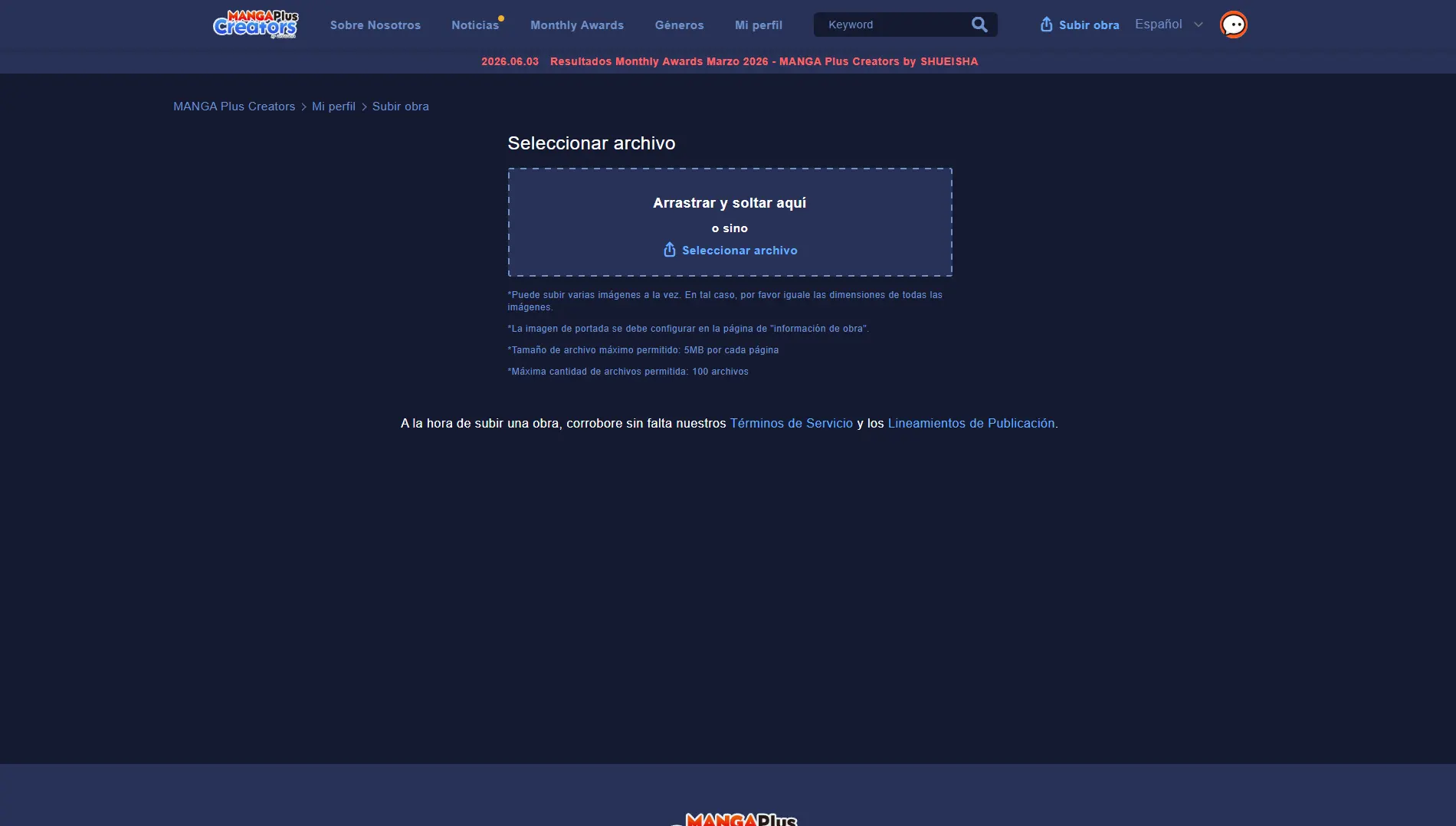
Time to upload your manga. You can click the upload area to browse for the files on your computer or simply drag and drop the pages straight into the box.
Once the images are uploaded, you'll see a preview of your chapter. Before moving on, pay attention to the following organization tools:
- Reorder pages: If an image ended up out of place, use the side arrows on each page to move it to its correct position.
- Delete files: You can remove duplicate or wrong images using the icon that appears in the top right corner of the page.
- Reading options (left menu): Set the reading direction and define whether the first page is single or double. Important: Horizontal reading on this platform is strictly right to left (Japanese format). If your manga reads left to right, we recommend selecting the Vertical reading format.
When you finish adjusting, click Save and go to settings. If you're not ready yet, you can also choose to save the project as a draft and keep editing it later.
Step 4: Create and publish your work
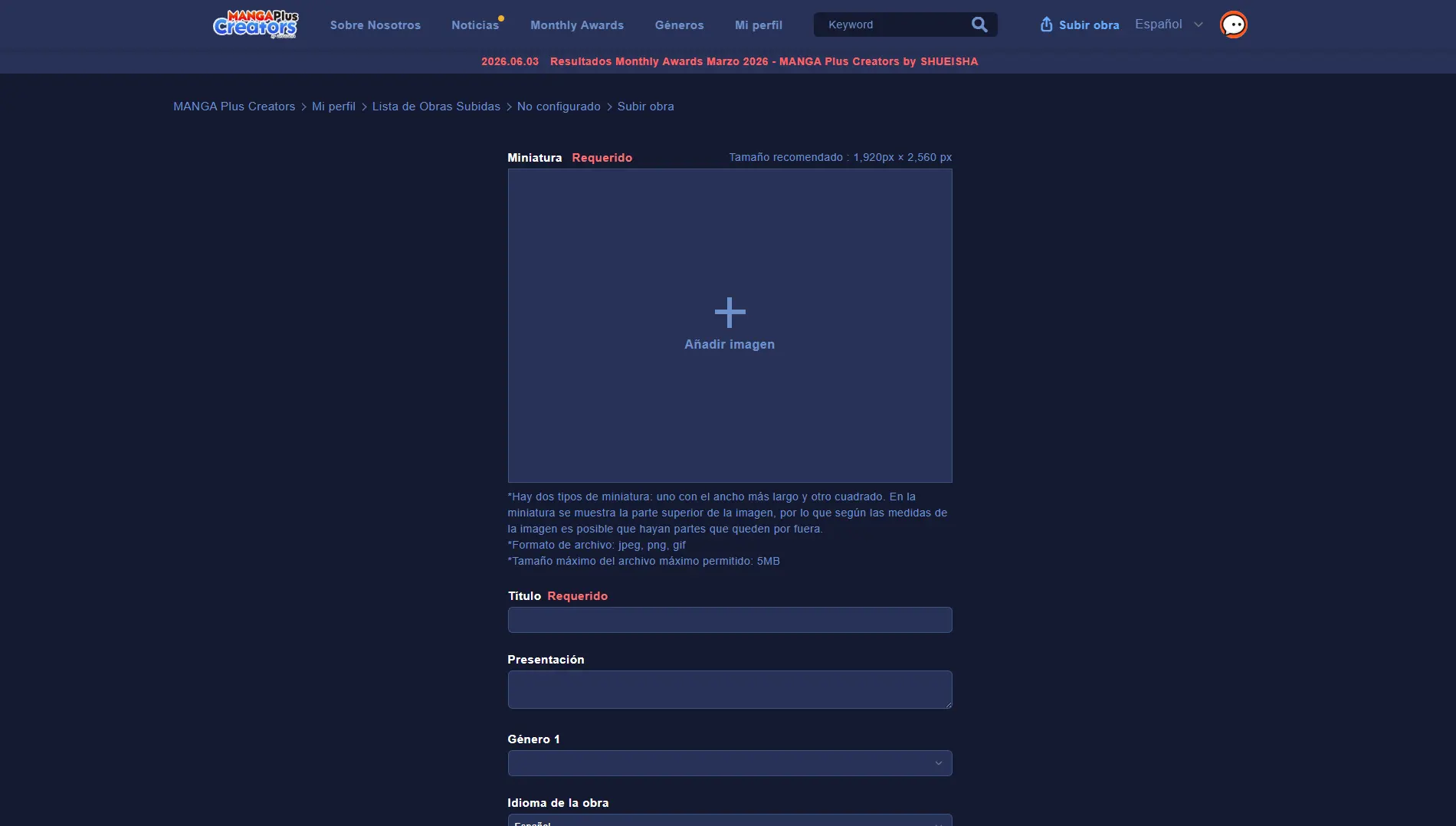
In this last form you'll set up your manga's public information. You'll need to add a cover or thumbnail for the chapter (the recommended size is 1920 x 2560 px), the title, a synopsis, the main genre and the language.
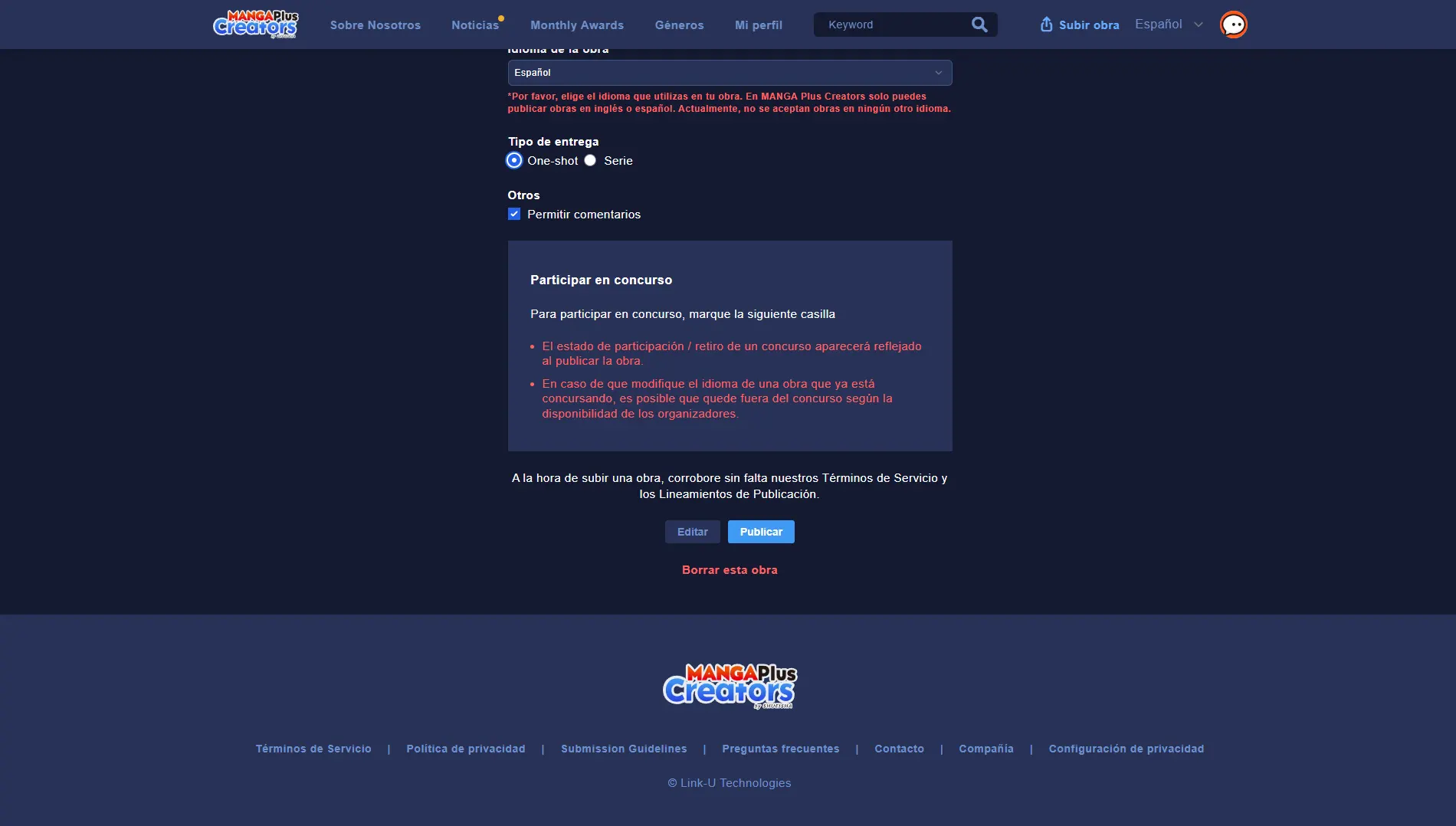
You'll also need to define your work's format (Series or One-shot) and whether you want to enable or disable the comments section for readers. When everything is ready, click Publish.
If you select the One-shot format, the platform will show you the rules of the monthly contest. A key detail: Although the system doesn't explicitly mention it in this section, if you decide to publish a Series, you should know that only the first two chapters will take part in the monthly contest; from the third chapter on, they're out of the competition.
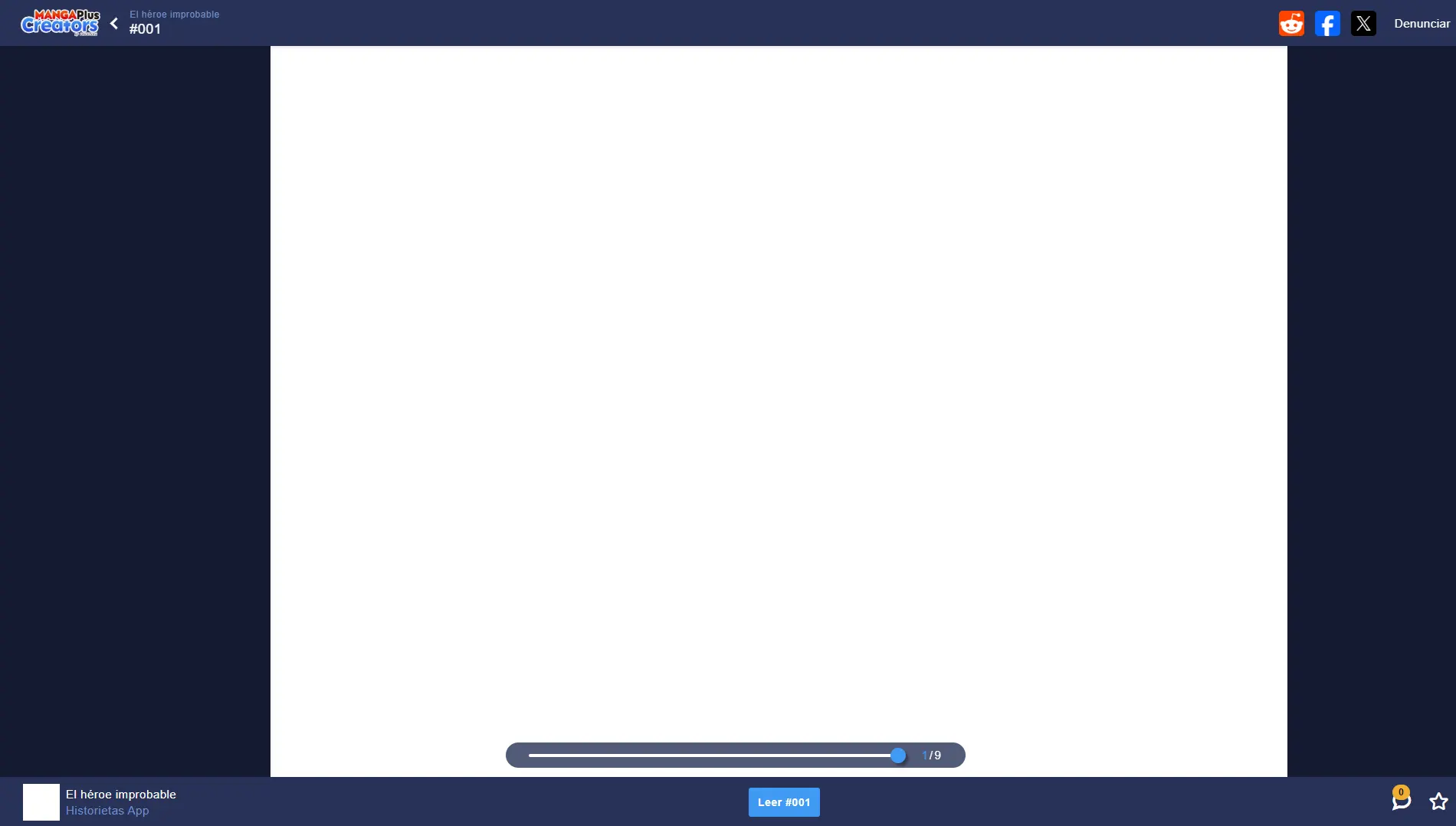
Congratulations! After you press publish, the system will redirect you straight to the web reader to show you how your finished work looks, available to everyone.
Since the platform has a monthly ranking system, publishing your first chapter at the beginning of the month gives you more days to build up reads, comments and votes from users.
Can non-Japanese creators publish manga?
Yes, absolutely! In fact, that's the whole purpose of Manga Plus Creators. Shueisha created this space precisely to break down the geographic barriers of the traditional market.
Anyone, regardless of nationality or country of residence, can upload their work. The platform has dedicated sections for both English and Spanish, letting the Spanish-speaking community compete on equal terms for the monthly awards and the chance to be published in Japan.
Is it free to create manga on Manga Plus Creators?
Yes, using the platform is completely free. If you're wondering how much does it cost to publish a manga? digitally on this site, the answer is zero. There are no sign-up fees and no hidden charges for keeping your content online.
- Free sign-up and profile creation.
- Unlimited uploads of series and chapters.
- Free access to your readers' statistics.
- Automatic entry in Shueisha's monthly contests.
So if you're looking for how to publish a manga for free with the backing of Japan's biggest publisher, this option more than meets all the requirements for emerging artists.
How to publish on Manga Plus Creators from your phone
Although the most comfortable way to lay out and upload your manga pages is from a desktop computer, the platform's website is optimized for mobile devices.
You can log in from your smartphone or tablet browser, access your creator profile and manage your publications. Just make sure your image files are well organized in your phone's storage so the chapter upload goes smoothly and doesn't mess up the page order.
Common mistakes when uploading your manga
- Setting the reading direction wrong (mixing up the traditional Japanese direction with the Western one).
- Uploading text with fonts that are too small or hard to read on phone screens.
- Not including an appealing synopsis that hooks the reader in the first few seconds.
- Leaving excessive trim margins that shrink the usable size of the panels.
- Publishing sporadically and losing your followers' interest.
Creator Platform Comparison
| Aspect | Histo | Manga Plus Creators | Advantage |
|---|---|---|---|
| Audience reach | Focused community, mainly Spanish-speaking. | Massive global audience of traditional manga fans. | Manga Plus Creators |
| Ease of standing out | Less competition and high initial organic visibility. | Highly saturated content in the weekly rankings. | Histo |
| Early monetization | Direct access to revenue-sharing programs from the start. | Depends mainly on winning Shueisha's monthly contests. | Histo |
| Supported formats | Flexible (comics, stories and webcomics). | Specialized in manga format (pages and scroll). | Histo |
| Editorial support | Self-management tools for independent creators. | Chance of being reviewed by official editors in Japan. | Manga Plus Creators |
| Ideal profile | Independent creators looking to monetize fast and build a solid base without saturation. | Artists whose main goal is the manga format and who are looking for an opportunity in the Japanese market. | Depends on your artistic goals. |
| Aspect | Histo | Manga Plus Creators | Advantage |
Histo stands out for its closeness, lower competitive saturation and fast monetization options for the author. For its part, Manga Plus Creators by Shueisha is the irreplaceable alternative if your goal is to formally break into the Japanese manga industry and gain international recognition.
Looking for a flexible alternative to publish your manga or comic?
If you're weighing different platforms to share your talent, explore Histo and discover a space designed for independent creators.
Monthly Awards Revenue-Sharing ProgramFrequently Asked Questions
How do you publish on Manga Plus Creators?
You just need to create a free account, fill in your work's basic information (such as title, synopsis and cover) and upload the pages of your chapters.
Is it free to create manga on Manga Plus Creators?
Yes, the platform is completely free, both to sign up and to upload as much content as you want without restrictions.
Where can I publish my webcomic or manga?
Manga Plus Creators is one of the best places to publish stories with a Japanese format and influence, giving you exposure to readers all over the world.
Can non-Japanese creators publish manga?
Yes, the site welcomes and encourages international authors, offering full support for works in Spanish and English.

To install the app on Safari:
- Use the "Share" menu
- Select "Add to Home Screen"
Do you want to install our app for a better experience?